
 54 minutes ago
2
Club.noww.in
What is a docstring in Python? It’s a string literal written as the first statement in a function, class or module. Python stores it in the object’s __doc__ attribute, and help() displays it:
def sales_tax(amount): """Return the sales tax on amount, rounded to cents.""" return round(amount * 0.0825, 2)Each example ran on Python 3.12.5, and the output you see came straight from those runs.
We’ll read docstrings with __doc__ and help(), compare them with comments, document a class in Google style, and turn examples inside a docstring into tests with doctest.
Reading a docstring with __doc__ and help()
Triple quotes are the convention, even for one line. The first line is a short summary, then a blank line, then any details:
def sales_tax(amount, rate=0.0825): """Return the sales tax on amount, rounded to cents. The default rate is Austin, TX (8.25%). """ return round(amount * rate, 2) print(sales_tax.__doc__) help(sales_tax)Output:
Return the sales tax on amount, rounded to cents. The default rate is Austin, TX (8.25%). Help on function sales_tax in module __main__: sales_tax(amount, rate=0.0825) Return the sales tax on amount, rounded to cents. The default rate is Austin, TX (8.25%).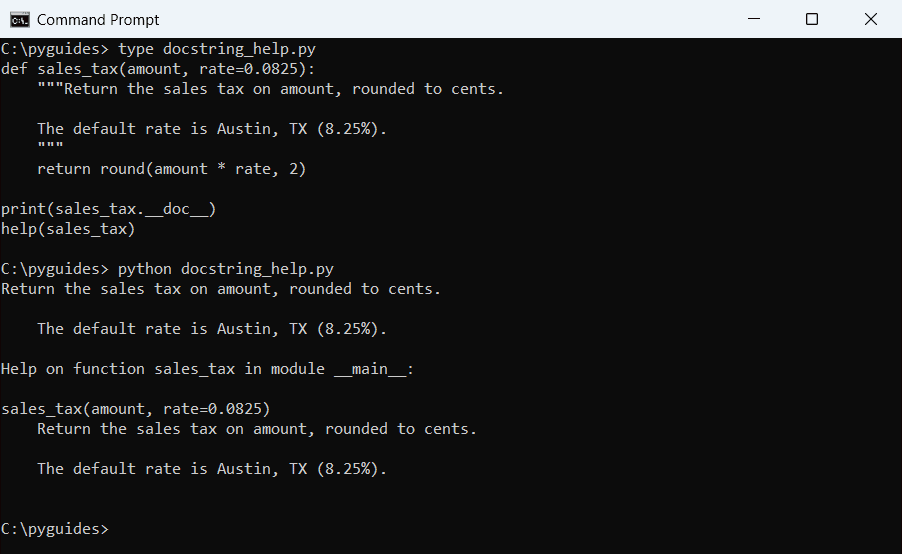 __doc__ gives the raw string; help() adds the function’s signature on top.
Editors like VS Code and PyCharm show the same text when you hover over the function, which is a big part of why docstrings are worth writing.
What’s the difference between a docstring and a comment?
Comments are for people reading the code and disappear when it runs. A docstring is a real string object that stays attached to the function:
def total(amount): # comments are thrown away when Python compiles the code """Docstrings are kept and attached to the function.""" return amount def no_docs(amount): # only a comment here return amount print(repr(total.__doc__)) print(repr(no_docs.__doc__))Output:
'Docstrings are kept and attached to the function.' None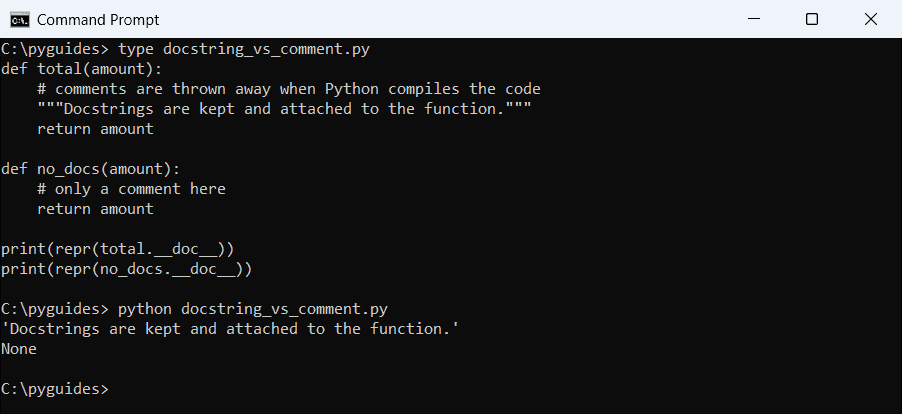 The comment left no trace; the docstring is still there at runtime.
The docstring must be the first statement. Here the comment line comes before it, which is fine because comments aren’t statements. Put any code first, though, and the string becomes a plain expression.
Docstring formats: Google, NumPy and reST
PEP 257 sets the basics but not the layout of arguments. I use Google style, which reads well in plain text. Here it is on a class and a method:
import inspect class Invoice: """A customer invoice with line items in USD. Attributes: number: The invoice number, such as "INV-2026-1126". items: A list of (description, price) tuples. """ def __init__(self, number): self.number = number self.items = [] def add(self, description, price): """Add a line item. Args: description: What was sold. price: The price in USD, for example 19.99. Returns: The new invoice total. Raises: ValueError: If price is negative. """ if price < 0: raise ValueError("price can't be negative") self.items.append((description, price)) return round(sum(p for _, p in self.items), 2) print(Invoice.__doc__.splitlines()[0]) print(inspect.getdoc(Invoice.add))Output:
A customer invoice with line items in USD. Add a line item. Args: description: What was sold. price: The price in USD, for example 19.99. Returns: The new invoice total. Raises: ValueError: If price is negative.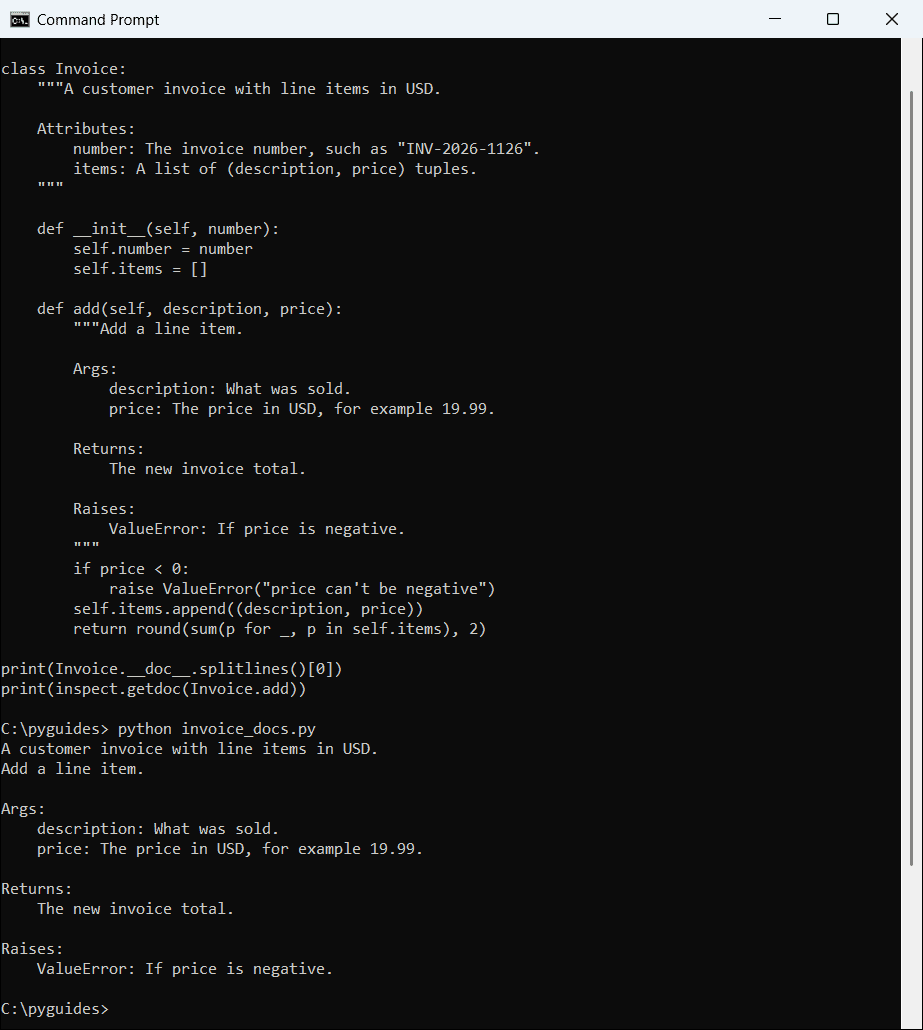 inspect.getdoc() returns the cleaned docstring without the method’s indentation.
| Args: then name: description | General projects | |
| NumPy | Parameters underlined with dashes | Data science libraries |
| reST (Sphinx) | :param name: description | Sphinx-built documentation |
Pick one style and stick with it across your project. Tools like Sphinx (with the napoleon extension) can read all three.
Run docstring examples as tests with doctest
Write examples the way they’d look in the interactive shell, and doctest checks that the output still matches. Errors work too:
def shipping_cost(weight_lb): """Return flat-rate shipping in USD for a package weight in pounds. >>> shipping_cost(0.5) 5.99 >>> shipping_cost(3) 9.99 >>> shipping_cost(25) 24.99 >>> shipping_cost(-1) Traceback (most recent call last): ... ValueError: weight must be positive """ if weight_lb <= 0: raise ValueError("weight must be positive") if weight_lb <= 1: return 5.99 if weight_lb <= 10: return 9.99 return 24.99 if __name__ == "__main__": import doctest print(doctest.testmod(verbose=False))Running the module with -v shows each example being checked:
python -m doctest -v shipping.pyOutput:
Trying: shipping_cost(0.5) Expecting: 5.99 ok Trying: shipping_cost(3) Expecting: 9.99 ok Trying: shipping_cost(25) Expecting: 24.99 ok Trying: shipping_cost(-1) Expecting: Traceback (most recent call last): ... ValueError: weight must be positive ok 1 items had no tests: shipping 1 items passed all tests: 4 tests in shipping.shipping_cost 4 tests in 2 items. 4 passed and 0 failed. Test passed.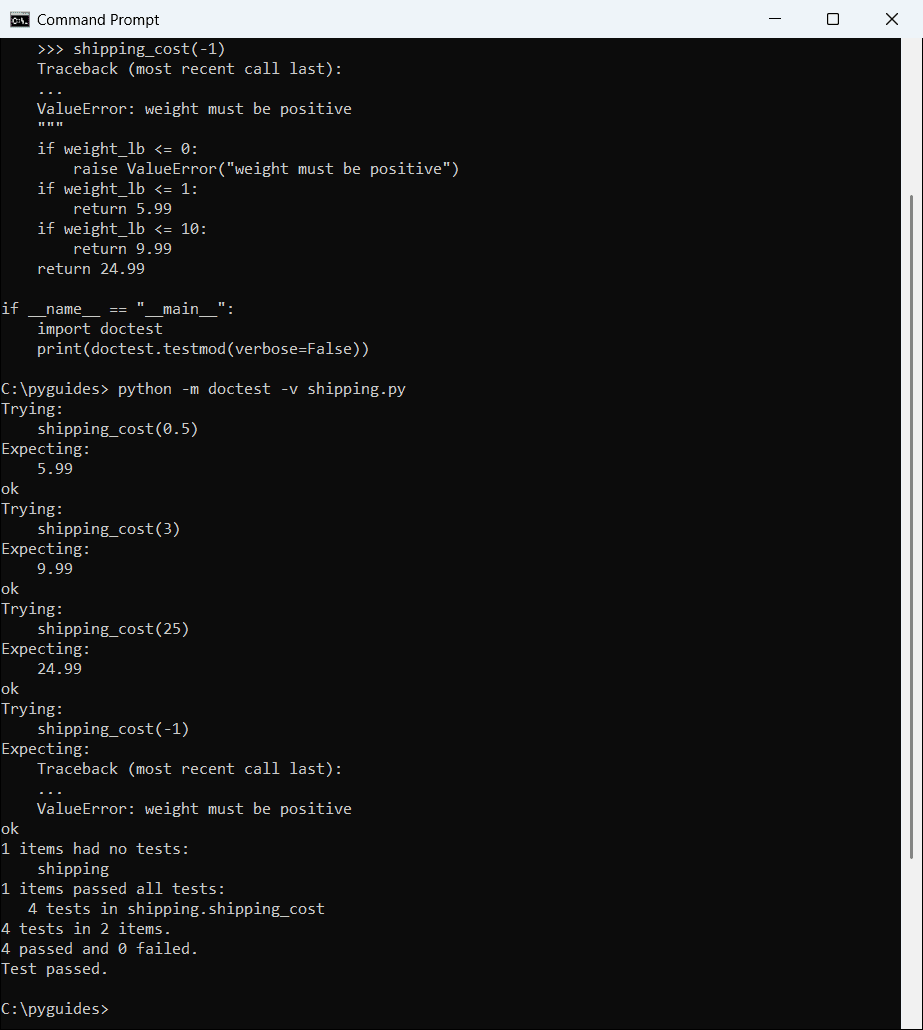 All four examples passed, including the one that expects a ValueError.
Doctests are great for small examples, while real test suites belong in pytest. For the error side, see types of errors in Python.
Docstring tips
- Start with a one-line summary in the imperative mood: “Return the total”, not “Returns the total”.
- Document what the caller needs: arguments, return value, exceptions and side effects.
- Put a module docstring at the very top of the file to describe the whole module.
- Keep type information in type hints; there’s no need to repeat it in the docstring.
More guides on writing clear Python:
- Python variable scope
- Higher order functions in Python
- Nested class in Python
- What is IDLE in Python
Frequently asked questions
What is a docstring in Python?
A string literal that’s the first statement of a function, class or module. Python stores it in __doc__ and help() shows it.
How do I view a docstring?
Use help(obj), obj.__doc__, or inspect.getdoc(obj) for a cleaned version.
Should docstrings use single or triple quotes?
PEP 257 recommends triple double quotes, """, even for one-line docstrings.
What’s the best docstring format?
Google, NumPy and reST are all fine. Choose one and use it consistently.
Can docstrings be tested?
Yes. Write shell-style examples and run them with python -m doctest -v file.py.
Where are docstring conventions documented?
See PEP 257, Docstring Conventions.


 English (US)