
 1 month ago
57
Club.noww.in
The require keyword in TypeScript is really Node.js’s CommonJS require() function: it loads a module synchronously and returns its exports. In a .ts file it needs Node’s types, and it returns any, so prefer import x = require() or plain import:
import tax = require("./req_tax"); // typed CommonJS import const raw = require("./req_tax"); // works, but raw is anyEvery example here ran on TypeScript 7.0.2 and Node.js v22.22.2, compiled in strict mode. Outputs are pasted straight from those runs.
What does require() do in a TypeScript file?
It isn’t a TypeScript keyword at all (it’s missing from the TypeScript keywords list). It’s a function that CommonJS modules get from Node.js. Here’s the helper module the examples load:
export const rate = 0.0825; // Austin, TX combined sales tax export function withTax(amount: number): number { return Math.round(amount * (1 + rate) * 100) / 100; }Now a file that requires a built-in module and that helper:
const path = require("node:path"); const tax = require("./req_tax"); console.log("file:", path.join("orders", "2026", "october.csv")); console.log("Austin order:", tax.withTax(100)); console.log("typo:", tax.withTaxx(50)); // tsc doesn't complainOutput:
file: orders\2026\october.csv Austin order: 108.25 C:\pyguides\req_basic.js:6 console.log("typo:", tax.withTaxx(50)); // tsc doesn't complain ^ TypeError: tax.withTaxx is not a function at Object.<anonymous> (C:\pyguides\req_basic.js:6:26) at Module._compile (node:internal/modules/cjs/loader:1705:14) at Object..js (node:internal/modules/cjs/loader:1838:10) at Module.load (node:internal/modules/cjs/loader:1441:32) at Function._load (node:internal/modules/cjs/loader:1263:12) at TracingChannel.traceSync (node:diagnostics_channel:328:14) at wrapModuleLoad (node:internal/modules/cjs/loader:237:24) at Function.executeUserEntryPoint [as runMain] (node:internal/modules/run_main:171:5) at node:internal/main/run_main_module:36:49 Node.js v22.22.2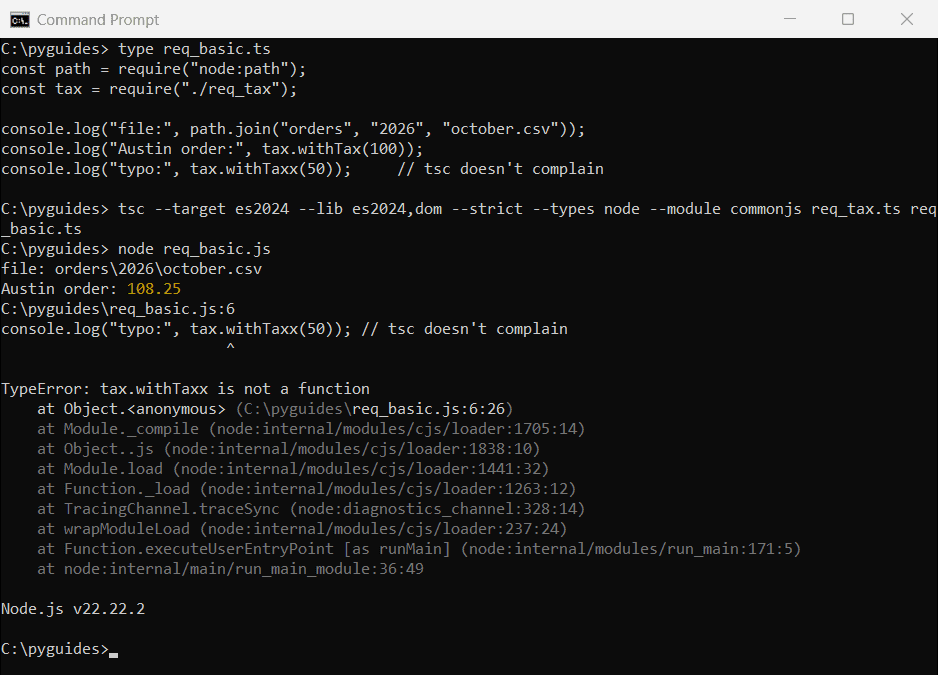 The typo withTaxx compiles fine and only fails when Node.js runs it.
That’s the catch: require() returns any, so TypeScript can’t check what you do with the result.
Fix “Cannot find name ‘require’” (TS2591)
Without Node’s type definitions, the compiler doesn’t know require exists:
const fs = require("node:fs"); console.log(fs.existsSync("orders.csv"));Output:
req_missing.ts(1,12): error TS2591: Cannot find name 'require'. Do you need to install type definitions for node? Try `npm i --save-dev @types/node` and then add 'node' to the types field in your tsconfig.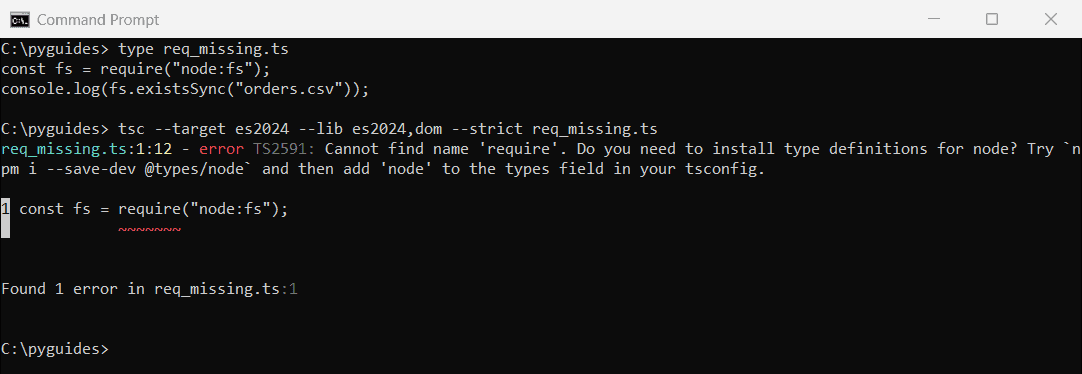 TypeScript 7 asks you to install @types/node and list it under types.
Older TypeScript versions print the same message as TS2580. The fix is identical either way, and it’s the same one I use for ReferenceError: fetch is not defined:
npm i -D @types/node { "compilerOptions": { "module": "nodenext", "types": ["node"] } }On the command line, --types node does the same. TypeScript 7 doesn’t load @types packages automatically anymore, so that entry matters.
Use import x = require() for typed CommonJS imports
TypeScript’s import tax = require() form compiles to a plain require() call but keeps the module’s types. The catch is the module setting:
import tax = require("./req_tax"); console.log("Austin order:", tax.withTax(100)); console.log("typo:", tax.withTaxx(50));Output:
req_typed.ts(1,1): error TS1202: Import assignment cannot be used when targeting ECMAScript modules. Consider using 'import * as ns from "mod"', 'import {a} from "mod"', 'import d from "mod"', or another module format instead. req_typed.ts(4,26): error TS2551: Property 'withTaxx' does not exist on type 'typeof import("C:/pyguides/req_tax")'. Did you mean 'withTax'?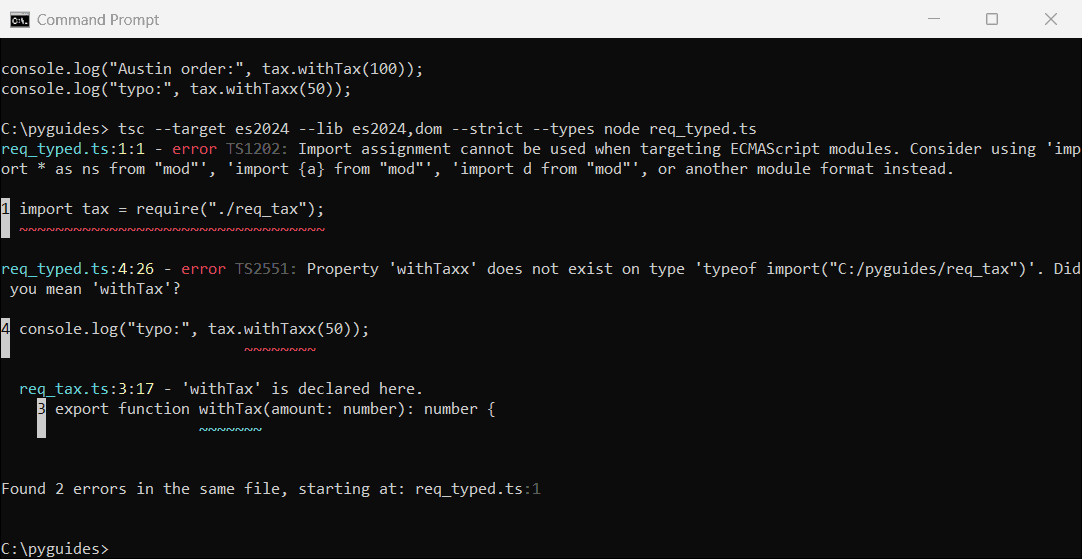 TS1202 because the default module format is ESM, and TS2551 because the typo is now caught.
TypeScript 7 defaults module to esnext. Switch to commonjs (or nodenext) and fix the typo:
import tax = require("./req_tax"); console.log("rate:", tax.rate); console.log("Austin order:", tax.withTax(100));Output:
rate: 0.0825 Austin order: 108.25Hover over tax in your editor and you’ll see the real module type instead of any (more on that in checking the type of a variable in TypeScript).
In TypeScript 7, commonjs, node16 through nodenext, and preserve accept it. amd, umd and system fail with TS5108 because they were removed.
Require a JSON file in TypeScript
require() parses .json files into objects. With import = require, TypeScript also infers the shape, since resolveJsonModule is on by default now. The file holds Austin store data:
{ "city": "Austin", "state": "TX", "taxRate": 0.0825, "lastOrder": 249.99 } import store = require("./req_store.json"); // typed from the file const raw = require("./req_store.json"); // any console.log(`${store.city}, ${store.state} tax ${(store.taxRate * 100).toFixed(2)}%`); console.log("same cached object:", raw === store);Output:
Austin, TX tax 8.25% same cached object: trueBoth calls return the same cached object, because Node.js loads each module once. For ES module syntax and import attributes, see how to import a JSON file in TypeScript.
Why is require not defined in ES modules?
In an .mts file, or a .ts file under a "type": "module" package, require() passes type checking but Node.js throws ReferenceError: require is not defined in ES module scope. Build your own with createRequire:
import { createRequire } from "node:module"; const require = createRequire(import.meta.url); const store = require("./req_store.json"); const tax = require("./req_tax.js"); console.log(`${store.city} last order: $${tax.withTax(store.lastOrder).toFixed(2)} with tax`);Output:
Austin last order: $270.61 with taxUnder nodenext, TypeScript emits this same code for you when an ES module uses import x = require(). In new ESM code, a normal import is cleaner.
Can require() load an ES module in Node.js 22?
Yes. Node.js 22.12 turned on require() of ES modules without a flag, and 22.13 dropped the warning. Here’s a .cts file requiring an .mts module:
export const city = "Denver"; export default function label(amount: number): string { return `$${amount.toFixed(2)}`; } const prices = require("./req_prices.mjs"); console.log(prices); import p = require("./req_prices.mjs"); console.log(p.default(19.5), "in", p.city);Output:
[Module: null prototype] { __esModule: true, city: 'Denver', default: [Function: label] } $19.50 in Denver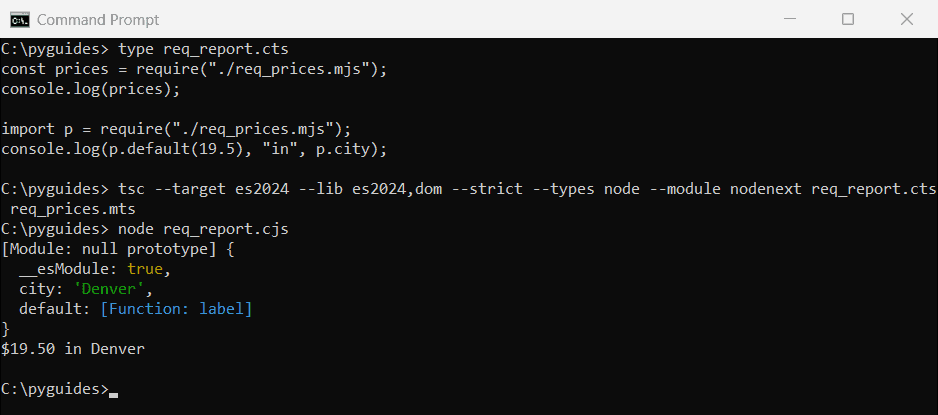 require() returns the module namespace, with __esModule: true added because there’s a default export.
The default export lands on .default, the same object shape described in the default keyword in TypeScript guide. TypeScript allows this under node20 and nodenext; node18 rejects it with TS1471.
One more limit: a module with top-level await can’t be required. Node.js throws ERR_REQUIRE_ASYNC_MODULE, so use await import() for those.
require vs import in TypeScript
| Typed result | No (any) | Yes | Yes |
| Module format | CommonJS | CommonJS (createRequire in ESM) | ESM or CommonJS |
| Needs @types/node | Yes | Yes | Only for Node APIs |
| Best for | Quick scripts, conditional loads | Typed CommonJS code | New code |
For new projects I use import with "module": "nodenext", and keep require() for old CommonJS files.
Module loading touches a lot of TypeScript, so these pages pair well with this one:
- The is keyword in TypeScript
- TypeScript interface for an array of objects
- Key-value pairs in TypeScript
- Convert a string to an enum in TypeScript
Frequently asked questions
Is require a keyword in TypeScript?
No. require is a Node.js CommonJS function. TypeScript only adds the import x = require() syntax around it.
How do I fix Cannot find name ‘require’?
Install @types/node and add "types": ["node"] to compilerOptions, or pass --types node to tsc.
Can I use require in an ES module?
Not directly. Create one with createRequire(import.meta.url) from node:module, or switch to import.
Should I use require or import in TypeScript?
Use import for new code. Keep require() for CommonJS projects or loading a module conditionally.
Where is import = require documented?
See Modules – Reference in the TypeScript handbook.








 English (US)