
 1 month ago
53
Club.noww.in
In a pandas DataFrame, loc vs iloc comes down to labels vs positions: loc selects rows and columns by their labels (index names, column names), while iloc selects by integer position, starting at 0.
df.loc["Denver", "sales"] # row label, column name df.iloc[1, 1] # 2nd row, 2nd columnThe output and screenshots in this guide come from Python 3.12.5 with pandas 3.0.6, using a small table of sales for five US cities.
We’ll compare basic selection, slicing (where the two differ most), filtering with conditions, the integer-index trap, and the right way to set values in pandas 3.
What does loc do vs what does iloc do?
Here’s the sample DataFrame. Its index holds city names, so loc uses those names, while iloc counts rows from the top:
import pandas as pd df = pd.DataFrame( {"state": ["TX", "CO", "MA", "FL", "WA"], "sales": [1250.50, 980.25, 1430.00, 760.00, 1105.75], "orders": [42, 31, 50, 25, 38]}, index=["Austin", "Denver", "Boston", "Tampa", "Seattle"], ) print(df, "\n") print(df.loc["Denver"], "\n") # by row label print(df.iloc[1]) # by position: the same rowOutput:
state sales orders Austin TX 1250.50 42 Denver CO 980.25 31 Boston MA 1430.00 50 Tampa FL 760.00 25 Seattle WA 1105.75 38 state CO sales 980.25 orders 31 Name: Denver, dtype: object state CO sales 980.25 orders 31 Name: Denver, dtype: object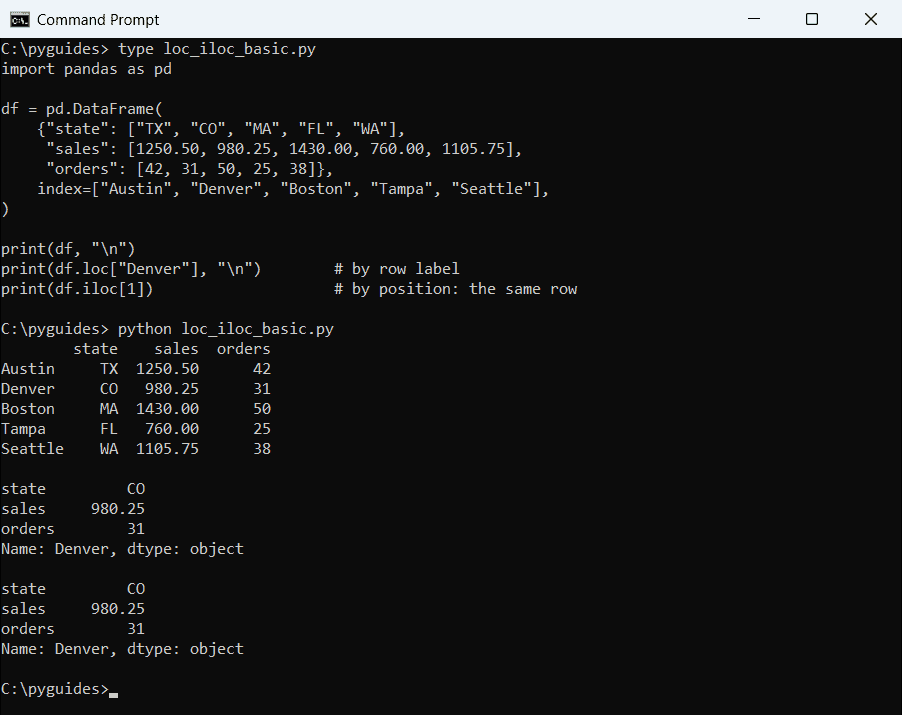 df.loc["Denver"] and df.iloc[1] return the same row as a Series.
| Selects by | Labels (index and column names) | Integer positions |
| Slice end | Included | Excluded |
| Boolean filters | Yes, the usual tool | Works with arrays, but loc is clearer |
| Out of range | KeyError | IndexError |
| Single-cell shortcut | df.at[row, col] | df.iat[i, j] |
Slicing with loc and iloc
This is where people get tripped up. loc slices include the end label, like a range you’d say out loud. iloc slices exclude the end, like normal Python slicing:
import pandas as pd df = pd.DataFrame( {"state": ["TX", "CO", "MA", "FL", "WA"], "sales": [1250.50, 980.25, 1430.00, 760.00, 1105.75], "orders": [42, 31, 50, 25, 38]}, index=["Austin", "Denver", "Boston", "Tampa", "Seattle"], ) print(df.loc["Denver":"Tampa", ["state", "sales"]], "\n") # end label included print(df.iloc[1:3, 0:2], "\n") # end position excluded print(df.iloc[-1], "\n") # last row print(df.loc["Boston", "sales"], df.iloc[2, 1]) # one cell, two waysOutput:
state sales Denver CO 980.25 Boston MA 1430.00 Tampa FL 760.00 state sales Denver CO 980.25 Boston MA 1430.00 state WA sales 1105.75 orders 38 Name: Seattle, dtype: object 1430.0 1430.0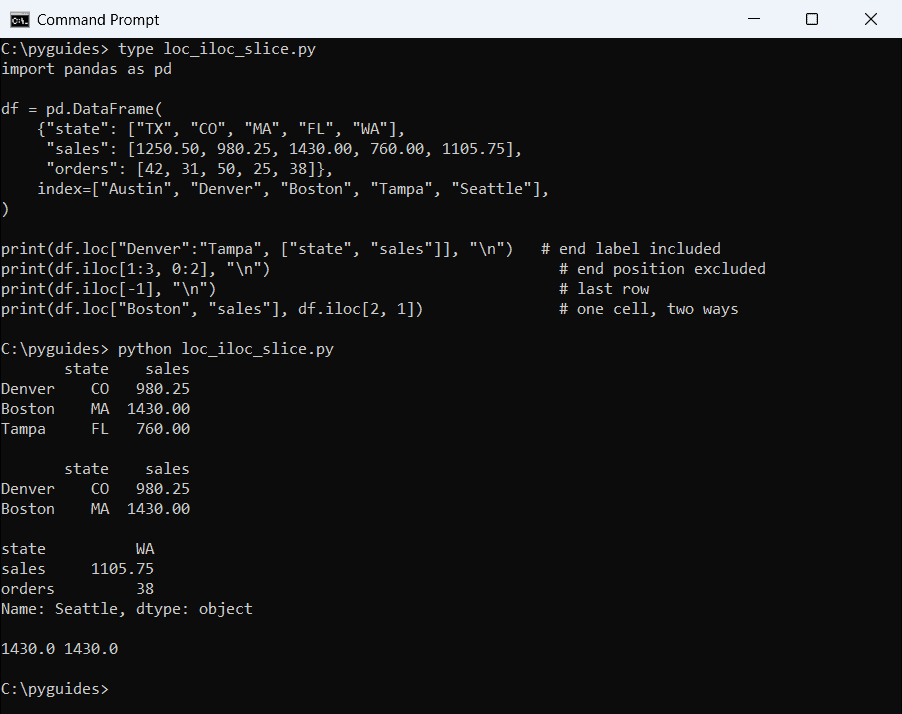 loc["Denver":"Tampa"] returns three rows; iloc[1:3] returns two.
Both accept a second argument for columns. With loc you pass names, and with iloc you pass column positions.
Filtering rows with loc
For conditions, loc is the tool to use. Pass a boolean Series for the rows and a column name or list for the columns. Combine conditions with & and |:
import pandas as pd df = pd.DataFrame( {"state": ["TX", "CO", "MA", "FL", "WA"], "sales": [1250.50, 980.25, 1430.00, 760.00, 1105.75], "orders": [42, 31, 50, 25, 38]}, index=["Austin", "Denver", "Boston", "Tampa", "Seattle"], ) big = df.loc[df["sales"] > 1000, ["state", "sales"]] print(big, "\n") print(df.loc[(df["orders"] >= 30) & (df["state"] != "TX"), "orders"], "\n") df.loc[df["sales"] < 1000, "tier"] = "standard" # set values with loc df.loc[df["sales"] >= 1000, "tier"] = "premium" print(df[["sales", "tier"]])Output:
state sales Austin TX 1250.50 Boston MA 1430.00 Seattle WA 1105.75 Denver 31 Boston 50 Seattle 38 Name: orders, dtype: int64 sales tier Austin 1250.50 premium Denver 980.25 standard Boston 1430.00 premium Tampa 760.00 standard Seattle 1105.75 premiumAssigning through df.loc[mask, "col"] = value is also how you set values for matching rows. More examples in pandas filter with multiple conditions.
Why does loc[0] give a KeyError?
When the index is made of integers, it’s easy to forget they’re labels, not positions. loc[0] looks for a row labeled 0; iloc[0] means the first row:
import pandas as pd df = pd.DataFrame({"city": ["Austin", "Denver", "Boston"], "sales": [1250.50, 980.25, 1430.00]}, index=[10, 20, 30]) # e.g. store IDs print(df.loc[20, "city"]) # label 20 print(df.iloc[1]["city"]) # position 1, same row try: df.loc[0] except KeyError as err: print("KeyError:", err, "(there's no label 0)") try: df.iloc[5] except IndexError as err: print("IndexError:", err)Output:
Denver Denver KeyError: 0 (there's no label 0) IndexError: single positional indexer is out-of-bounds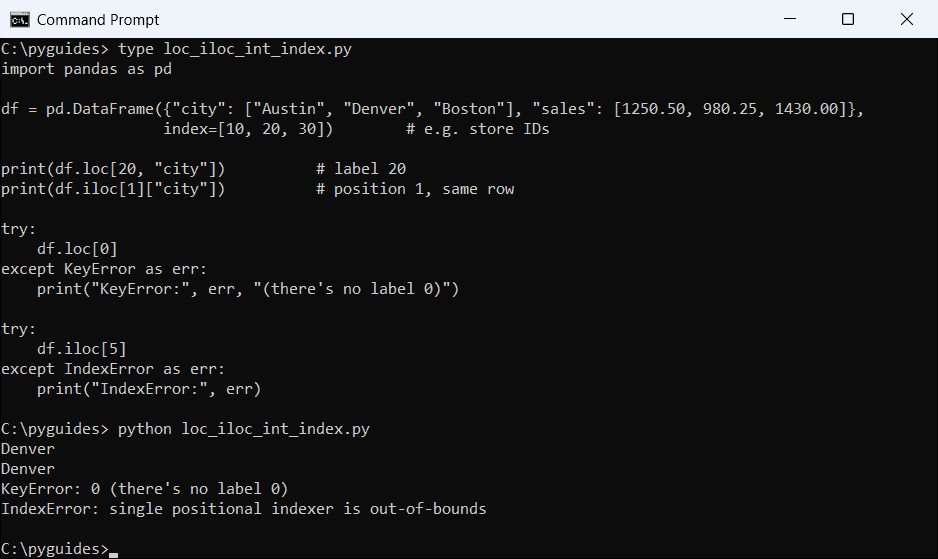 With an index of 10, 20 and 30, there’s no label 0. iloc doesn’t care what the labels are.
After filtering or sorting, labels and positions drift apart fast. If you want them to match again, call reset_index().
Setting values: use loc, not chained indexing
df[mask]["col"] = value picks rows, then a column, in two steps. In pandas 3 the middle result always acts as a copy, so the original never changes and pandas warns you:
import pandas as pd df = pd.DataFrame( {"state": ["TX", "CO", "MA", "FL", "WA"], "sales": [1250.50, 980.25, 1430.00, 760.00, 1105.75], "orders": [42, 31, 50, 25, 38]}, index=["Austin", "Denver", "Boston", "Tampa", "Seattle"], ) import warnings warnings.simplefilter("always") df[df["state"] == "TX"]["sales"] = 0 # chained: never updates df print(df.loc["Austin", "sales"]) df.loc[df["state"] == "TX", "sales"] = 0 # one step with loc: works print(df.loc["Austin", "sales"])Output:
C:\pyguides\loc_chained.py:13: ChainedAssignmentError: A value is being set on a copy of a DataFrame or Series through chained assignment. Such chained assignment never works to update the original DataFrame or Series, because the intermediate object on which we are setting values always behaves as a copy (due to Copy-on-Write). Try using '.loc[row_indexer, col_indexer] = value' instead, to perform the assignment in a single step. See the documentation for a more detailed explanation: https://pandas.pydata.org/pandas-docs/stable/user_guide/copy_on_write.html#chained-assignment df[df["state"] == "TX"]["sales"] = 0 # chained: never updates df 1250.5 0.0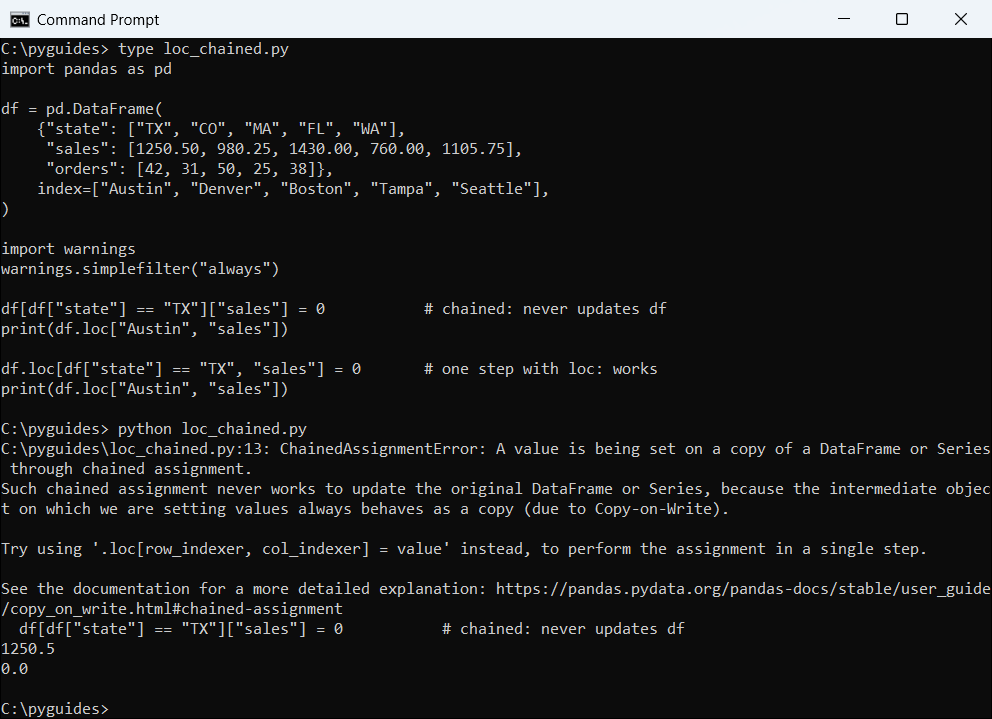 The chained version leaves Austin at 1250.5. The single loc call sets it to 0.
My rule is simple: when you’re changing data, select rows and columns in one loc or iloc call.
When to use loc vs iloc
I reach for loc most of the time: filtering, selecting named columns, and setting values. Use iloc when position is what matters, like the first five rows, the last row, or every other column.
For quick looks, df.head() and df.tail() are often simpler than either. See getting the first row in pandas and getting a row by index.
More pandas guides you might need next:
- Get pandas column names
- Sort a pandas DataFrame by column
- Drop rows based on a column value
- R vs Python for data science
Frequently asked questions
What’s the difference between loc and iloc in pandas?
loc selects by label (index and column names), and iloc selects by integer position starting at 0.
What does iloc do in pandas?
It selects rows and columns by position, like df.iloc[0] for the first row or df.iloc[:, -1] for the last column.
Is the end of a loc slice included?
Yes. df.loc["a":"c"] includes row c. iloc slices exclude the end, like Python lists.
Can I use conditions with iloc?
Pass a NumPy boolean array and it works, but loc with a boolean Series is the standard, clearer way.
Which is faster, loc or iloc?
They’re similar. For a single cell, df.at and df.iat are faster than both.
Where is indexing documented?
See Indexing and selecting data in the pandas user guide.








 English (US)