
 9 minutes ago
1
Club.noww.in
To print bytes as hex in Python, call .hex() on the bytes object. Pass a separator, like data.hex(" "), if you want a space between each byte:
data = b"Austin" print(data.hex()) # 41757374696e print(data.hex(" ")) # 41 75 73 74 69 6eI ran every snippet on Python 3.12.5; the separator arguments need Python 3.8 or newer.
You’ll see bytes.hex() with separators, why print() shows odd \x escapes, per-byte formatting with 0x, a hex dump function, and converting hex back to bytes.
Print bytes as hex with bytes.hex()
hex() returns a normal string with two hex digits per byte. Its optional arguments add a separator and group bytes:
data = "Austin, TX $49.99".encode("utf-8") print(data) # Python's repr: printable ASCII stays as text print(data.hex()) # one continuous hex string print(data.hex(" ")) # a space between bytes print(data.hex(":", 2)) # group two bytes per separator print(data.hex().upper())Output:
b'Austin, TX $49.99' 41757374696e2c205458202434392e3939 41 75 73 74 69 6e 2c 20 54 58 20 24 34 39 2e 39 39 41:7573:7469:6e2c:2054:5820:2434:392e:3939 41757374696E2C205458202434392E3939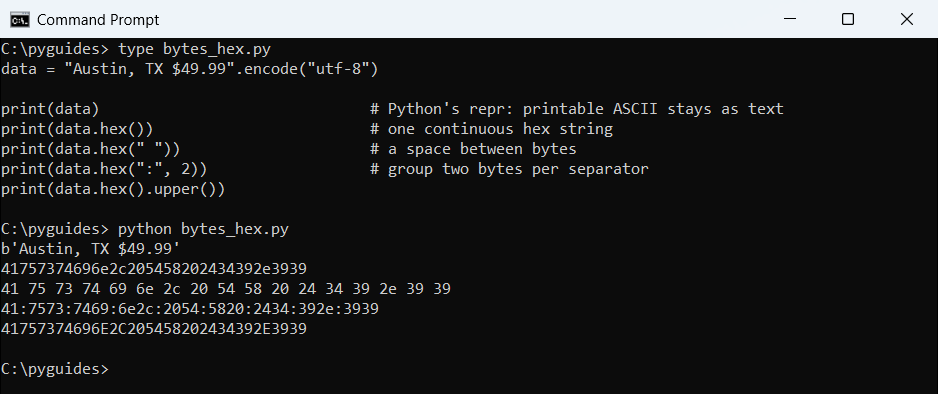 The same 17 bytes as plain hex, spaced, grouped in pairs with colons, and uppercase.
bytes_per_sep, the second argument, counts from the right; a negative value counts from the left. Turning text into bytes is covered in converting between types in Python.
Why does print(bytes) show \x escapes?
Printing a bytes object shows its repr. Printable ASCII bytes appear as characters, and everything else becomes a \x escape, which is confusing when you want raw values:
packet = bytes([0x00, 0x1F, 0x41, 0x42, 0x7F, 0x80, 0xFF]) print(packet) # mix of \x escapes and letters print(list(packet)) # the integer values 0-255 print(packet.hex(" ")) # every byte the same wayOutput:
b'\x00\x1fAB\x7f\x80\xff' [0, 31, 65, 66, 127, 128, 255] 00 1f 41 42 7f 80 ffThe letters A and B are really 0x41 and 0x42. .hex() treats every byte the same, which is what you want for debugging.
Format each byte with a 0x prefix
If you need a specific style, like 0xDE for C code, format each byte in an f-string. 02x pads to two digits:
data = bytes([222, 173, 190, 239, 1, 2]) print(" ".join(f"{b:02x}" for b in data)) print(" ".join(f"0x{b:02X}" for b in data)) print("".join(f"\\x{b:02x}" for b in data)) # C-style escaped string print([hex(b) for b in data]) # hex() drops the leading zero: 0x1Output:
de ad be ef 01 02 0xDE 0xAD 0xBE 0xEF 0x01 0x02 \xde\xad\xbe\xef\x01\x02 ['0xde', '0xad', '0xbe', '0xef', '0x1', '0x2']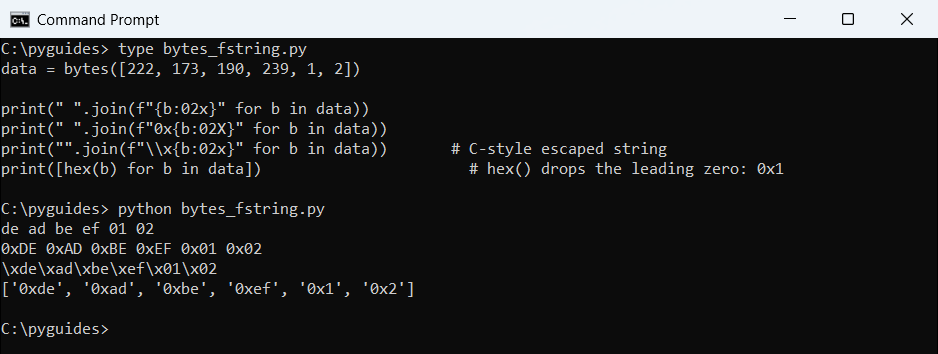 Lowercase pairs, 0x uppercase, C-style escapes, and the built-in hex(), which drops leading zeros.
Iterating over bytes gives you integers, which is why f"{b:02x}" works. For more on joining in one line, see Python for loop in one line.
Print a hex dump of bytes
For longer data, I like the classic hex dump layout: an offset, 16 bytes in hex, then the printable characters. Here’s a short function:
def hexdump(data, width=16): for offset in range(0, len(data), width): chunk = data[offset:offset + width] hex_part = chunk.hex(" ").ljust(width * 3 - 1) text = "".join(chr(b) if 32 <= b < 127 else "." for b in chunk) print(f"{offset:08x} {hex_part} |{text}|") invoice = "INV-2026-1124\nTotal: $1,249.50\n\x00\x01".encode("utf-8") hexdump(invoice)Output:
00000000 49 4e 56 2d 32 30 32 36 2d 31 31 32 34 0a 54 6f |INV-2026-1124.To| 00000010 74 61 6c 3a 20 24 31 2c 32 34 39 2e 35 30 0a 00 |tal: $1,249.50..| 00000020 01 |.|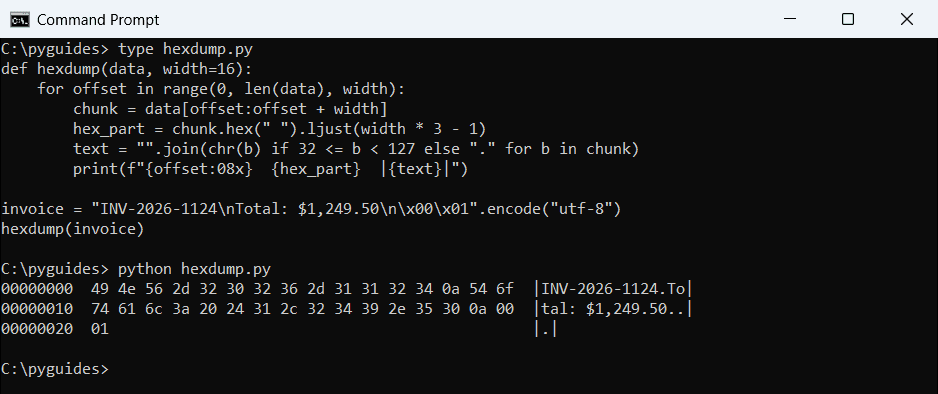 Offsets on the left, hex in the middle, readable text on the right, with dots for non-printable bytes.
Note the $ is 24, the newline is 0a, and the two control bytes show as dots on the right.
binascii.hexlify and bytes.fromhex
Older code often uses binascii.hexlify(), which returns bytes rather than a string. To go the other way, bytes.fromhex() turns hex text back into bytes:
import binascii data = b"Denver" print(binascii.hexlify(data)) # returns bytes, not str print(binascii.hexlify(data, "-")) print(binascii.hexlify(data).decode()) hex_text = "44656e766572" print(bytes.fromhex(hex_text)) # and back again print(bytes.fromhex("44 65 6e 76 65 72").decode())Output:
b'44656e766572' b'44-65-6e-76-65-72' 44656e766572 b'Denver' Denver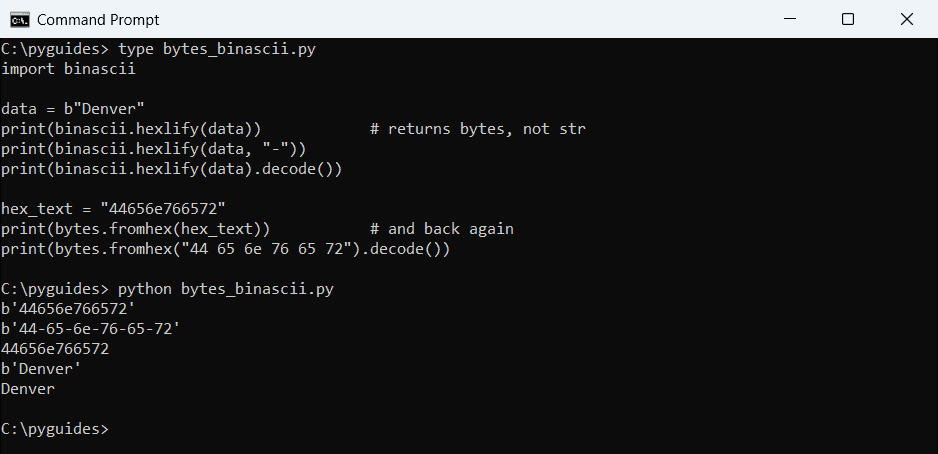 hexlify gives bytes (note the b''), and fromhex ignores spaces between pairs.
Which method should you use?
| Plain hex string | data.hex() |
| Spaces or colons between bytes | data.hex(" ") / data.hex(":") |
| 0x prefixes or custom format | " ".join(f"0x{b:02X}" for b in data) |
| Readable dump of a file | A small hexdump function |
| Hex text back to bytes | bytes.fromhex(text) |
These guides cover related conversions:
Frequently asked questions
How do I print bytes as hex in Python?
Use data.hex(), or data.hex(" ") for a space between bytes.
How do I add 0x to each byte?
Use " ".join(f"0x{b:02x}" for b in data).
Why does print show b’\x00A’?
That’s the bytes repr: printable ASCII shows as characters and other bytes as \x escapes. Use .hex() for consistent output.
How do I convert hex back to bytes?
Use bytes.fromhex("44656e766572"). Spaces between pairs are allowed.
What’s the difference between hex() and bytes.hex()?
hex(n) converts one integer and adds 0x; bytes.hex() converts a whole bytes object without prefixes.
Where is bytes.hex documented?
See bytes.hex in the Python docs.







 English (US)