
 1 month ago
63
Club.noww.in
Need to make a directory in Python? Use os.mkdir("name") for a single folder, or Path("a/b/c").mkdir(parents=True, exist_ok=True) to create nested folders without errors if they already exist:
from pathlib import Path Path("exports/2026/q4").mkdir(parents=True, exist_ok=True)Each folder in these examples was created for real by Python 3.12.5 on Windows, and the screenshots show the Command Prompt output.
I’ll cover os.mkdir(), os.makedirs(), pathlib, dated and per-customer folders, temporary directories, and the errors you’ll hit along the way.
How to make a directory in Python with os.mkdir()
os.mkdir() creates exactly one folder. It raises an error if the folder already exists, or if its parent folder is missing:
import os os.mkdir("reports") print("created:", os.path.isdir("reports")) try: os.mkdir("reports") # second time: it already exists except FileExistsError as err: print("FileExistsError:", err) try: os.mkdir("data/2026/october") # parent folders don't exist yet except FileNotFoundError as err: print("FileNotFoundError:", err)Output:
created: True FileExistsError: [WinError 183] Cannot create a file when that file already exists: 'reports' FileNotFoundError: [WinError 3] The system cannot find the path specified: 'data/2026/october'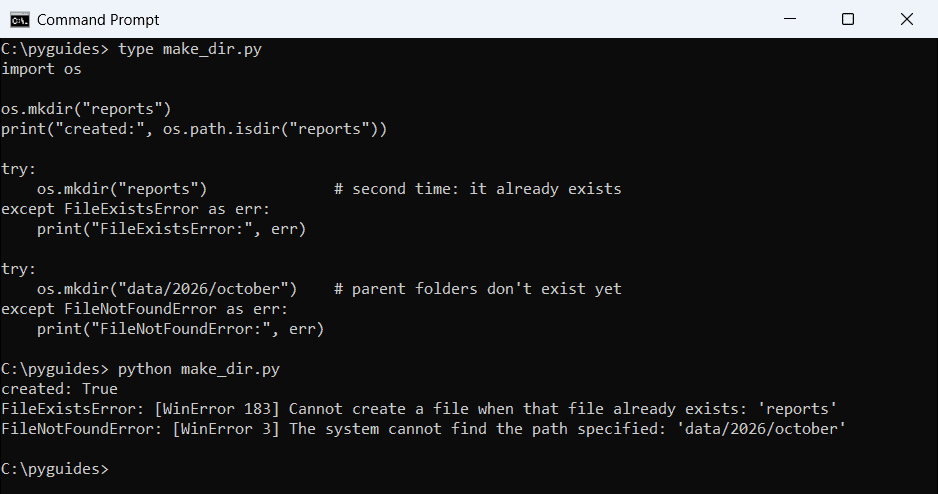 First call works. The second raises FileExistsError, and a nested path with missing parents raises FileNotFoundError.
The [WinError 183] and [WinError 3] codes are Windows’ own error numbers. On macOS and Linux you’ll see [Errno 17] and [Errno 2] with the same meaning.
Creating nested folders with os.makedirs()
os.makedirs() creates every missing level of a path at once. Add exist_ok=True and it quietly does nothing when the folders are already there:
import os os.makedirs("invoices/2026/10", exist_ok=True) # builds every missing level os.makedirs("invoices/2026/10", exist_ok=True) # no error the second time for root, dirs, files in os.walk("invoices"): print(root)Output:
invoices invoices\2026 invoices\2026\10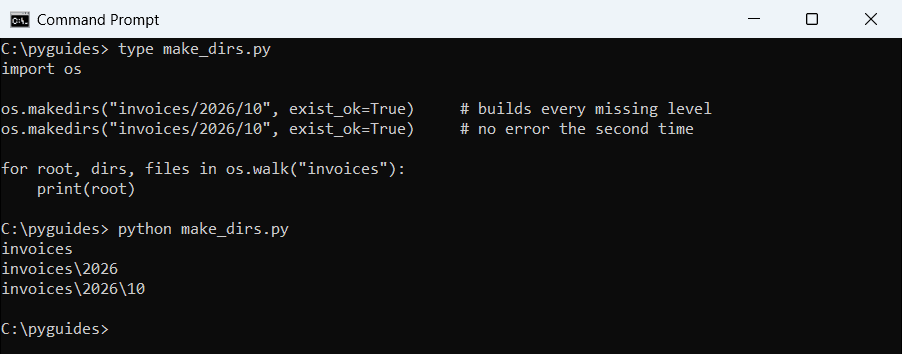 One call built three levels, and running it again didn’t raise an error.
That makes it safe to call at the top of any script that writes output, without first checking whether the folder exists.
Making a directory with pathlib (the modern way)
pathlib treats paths as objects, so you join them with / and call methods on them. mkdir(parents=True, exist_ok=True) matches os.makedirs(..., exist_ok=True):
from pathlib import Path out = Path("exports") / "2026" / "q4" out.mkdir(parents=True, exist_ok=True) (out / "sales.csv").write_text("city,total\nAustin,1250.50\n", encoding="utf-8") print("folder:", out, "| exists:", out.is_dir()) print("contents:", [p.name for p in out.iterdir()]) print("absolute path ends with:", out.resolve().parts[-3:])Output:
folder: exports\2026\q4 | exists: True contents: ['sales.csv'] absolute path ends with: ('exports', '2026', 'q4')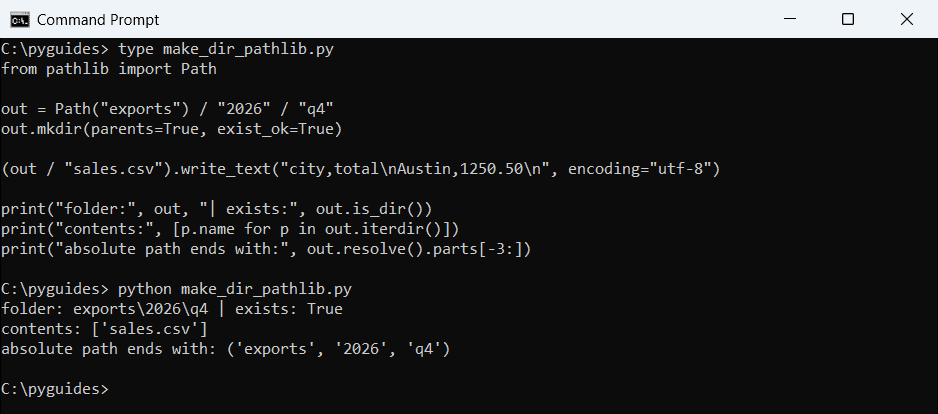 Path joins the parts with the right separator for your OS, then creates and fills the folder.
I use pathlib in all new code, since it reads better and behaves the same on every OS. Need to know where you are first? See getting the current directory in Python.
Creating a dated directory and subfolders
A common job is one folder per day, or one per store or customer. f-strings with date format codes build the names, and a loop handles the rest:
from datetime import date from pathlib import Path today = date(2026, 10, 22) folder = Path("backups") / f"{today:%Y-%m-%d}" folder.mkdir(parents=True, exist_ok=True) print("backup folder:", folder.as_posix()) stores = ["Austin", "Denver", "Boston"] for store in stores: (Path("orders") / store.lower()).mkdir(parents=True, exist_ok=True) print(sorted(p.name for p in Path("orders").iterdir()))Output:
backup folder: backups/2026-10-22 ['austin', 'boston', 'denver']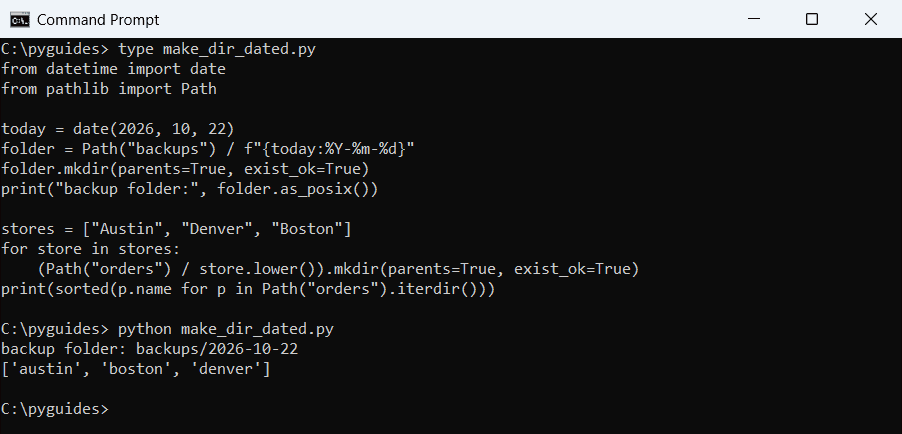 %Y-%m-%d names sort correctly in File Explorer and Finder, unlike 10-22-2026.
Making a temporary directory in Python
For scratch work, tempfile.TemporaryDirectory() makes a folder in your system’s temp location and deletes it, with everything inside, when the with block ends:
import tempfile from pathlib import Path with tempfile.TemporaryDirectory() as tmp: work = Path(tmp) (work / "draft.txt").write_text("temporary notes", encoding="utf-8") print("inside: exists?", work.exists(), "| files:", [p.name for p in work.iterdir()]) print("after: exists?", work.exists()) # deleted automaticallyOutput:
inside: exists? True | files: ['draft.txt'] after: exists? FalseIt’s great for tests and for processing downloads you don’t want to keep. The with pattern is the same one explained in Python with open() as file.
Why does exist_ok still raise FileExistsError?
exist_ok=True only ignores an existing folder. If a regular file already has that name, Python still raises FileExistsError, because it can’t turn a file into a folder:
from pathlib import Path target = Path("photos") print("before:", target.exists()) if not target.exists(): target.mkdir() print("after: ", target.is_dir()) clash = Path("photos.txt") clash.write_text("not a folder", encoding="utf-8") try: clash.mkdir(exist_ok=True) # exist_ok only ignores an existing *folder* except FileExistsError as err: print("FileExistsError:", err.strerror) clash.unlink()Output:
before: False after: True FileExistsError: Cannot create a file when that file already existsChecking with exists() first is fine for scripts, but exist_ok=True avoids a race if two processes run at once. For more checks, see checking if a directory exists in Python.
os.mkdir vs os.makedirs vs Path.mkdir
| os.mkdir(p) | No | No | One folder, and you want an error if it’s there |
| os.makedirs(p, exist_ok=True) | Yes | Yes | Older code using os |
| Path(p).mkdir(parents=True, exist_ok=True) | Yes | Yes | New code |
| tempfile.TemporaryDirectory() | n/a | n/a | Scratch space that deletes itself |
These folder and file guides go well with this one:
- List files in a directory with Python
- Copy files to another directory
- Copy a file in Python
- Check if a file exists in Python
Frequently asked questions
How do I make a directory in Python?
Use os.mkdir("folder") for one folder, or Path("folder").mkdir(parents=True, exist_ok=True) from pathlib for nested folders.
How do I create a folder only if it doesn’t exist?
Pass exist_ok=True to os.makedirs() or Path.mkdir(). It won’t raise an error if the folder is already there.
What’s the difference between mkdir and makedirs?
os.mkdir() creates one level and fails if the parent is missing. os.makedirs() creates all missing parent folders too.
Why do I get FileNotFoundError when creating a folder?
A parent folder in the path doesn’t exist. Use os.makedirs() or parents=True.
How do I create a directory in the user’s home folder?
Use Path.home() / "MyApp" and call mkdir(exist_ok=True) on it.








 English (US)