
 1 month ago
35
Club.noww.in
You can format currency to 2 decimals in TypeScript with Intl.NumberFormat: pass style: 'currency' and currency: 'USD', and you get a string like $1,234.50 with the symbol, commas and two decimals:
const usd = new Intl.NumberFormat("en-US", { style: "currency", currency: "USD" }); usd.format(1234.5); // "$1,234.50"Every output on this page came from a real run with TypeScript 7.0.2 and Node.js v22.22.2, strict mode on.
Format currency to 2 decimals with Intl.NumberFormat
USD defaults to two decimals, but I set both fraction-digit options when two decimals are a hard rule:
const usd = new Intl.NumberFormat("en-US", { style: "currency", currency: "USD", minimumFractionDigits: 2, maximumFractionDigits: 2, }); for (const amount of [1234.5, 19.999, 7]) { console.log(String(amount).padEnd(8), usd.format(amount)); }Output:
1234.5 $1,234.50 19.999 $20.00 7 $7.00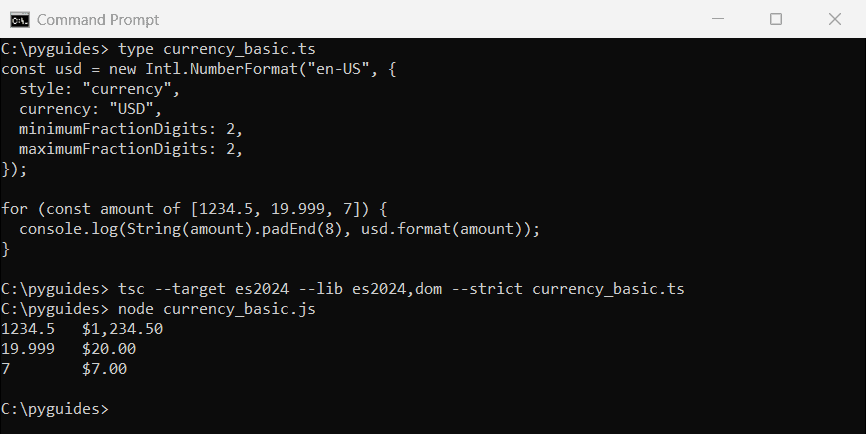 Commas, a dollar sign and two decimals; 19.999 rounds up to $20.00.
It rounds for display only. For a rounded value you can do math with, see rounding to 2 decimals in TypeScript.
Reuse one currency formatter instead of creating it every call
Creating the formatter is the slow part. Here’s 100,000 prices formatted both ways:
const opts: Intl.NumberFormatOptions = { style: "currency", currency: "USD" }; const usd = new Intl.NumberFormat("en-US", opts); const prices = Array.from({ length: 100_000 }, (_, i) => i * 1.25); function time(label: string, fn: (n: number) => string): void { const start = performance.now(); for (const p of prices) fn(p); console.log(label.padEnd(16), (performance.now() - start).toFixed(1), "ms"); } time("new each call", (n) => new Intl.NumberFormat("en-US", opts).format(n)); time("reused", (n) => usd.format(n));Output:
new each call 2950.9 ms reused 47.9 msReuse wins by a wide margin, so create the formatter once at module level and share it across your TypeScript functions.
How do you show negative currency amounts in parentheses?
Add currencySign: 'accounting' to show a loss as ($1,234.50):
const base: Intl.NumberFormatOptions = { style: "currency", currency: "USD" }; const standard = new Intl.NumberFormat("en-US", base); const accounting = new Intl.NumberFormat("en-US", { ...base, currencySign: "accounting" }); for (const v of [-1234.5, 250]) { console.log(standard.format(v).padEnd(12), accounting.format(v)); }Output:
-$1,234.50 ($1,234.50) $250.00 $250.00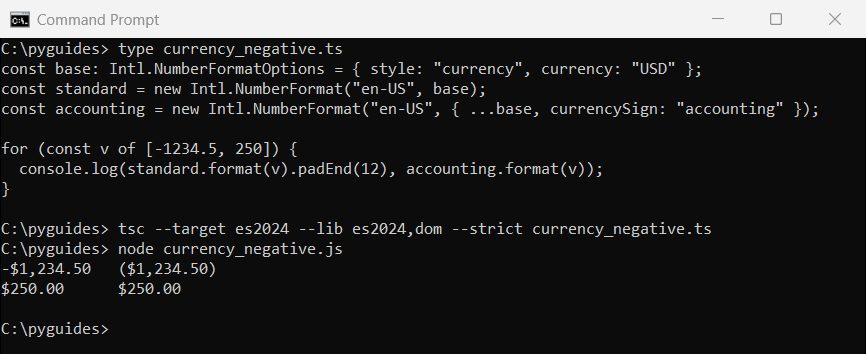 Standard minus sign on the left, accounting parentheses on the right.
Commas without a symbol are in formatting a number with commas in TypeScript.
Store money as cents, then format to USD
Floats can’t hold 0.10 exactly. Keep integer cents and divide by 100 only when you format:
type Cents = number; // always a whole number of cents const cart: { name: string; priceCents: Cents; qty: number }[] = [ { name: "Desk lamp", priceCents: 3999, qty: 2 }, { name: "USB-C cable", priceCents: 1249, qty: 3 }, ]; const usd = new Intl.NumberFormat("en-US", { style: "currency", currency: "USD" }); const subtotal: Cents = cart.reduce((sum, i) => sum + i.priceCents * i.qty, 0); const tax: Cents = Math.round(subtotal * 0.0825); // Austin, TX 8.25% console.log("Subtotal:", usd.format(subtotal / 100)); console.log("Tax: ", usd.format(tax / 100)); console.log("Total: ", usd.format((subtotal + tax) / 100)); console.log("0.10 + 0.10 + 0.10 as floats:", 0.1 + 0.1 + 0.1);Output:
Subtotal: $117.45 Tax: $9.69 Total: $127.14 0.10 + 0.10 + 0.10 as floats: 0.30000000000000004The cents totals are exact; the float sum isn’t. It’s the same reduce pattern I use to sum an array in TypeScript.
Build a custom currency layout with formatToParts
Want smaller cents on a price tag? formatToParts() returns labeled pieces, so you never parse the string:
const usd = new Intl.NumberFormat("en-US", { style: "currency", currency: "USD" }); console.log(usd.formatToParts(-1299.5).map((p) => `${p.type}=${p.value}`).join(" | ")); const tag = usd.formatToParts(1299.5) .map((p) => (p.type === "fraction" ? `<sup>${p.value}</sup>` : p.value)) .join(""); console.log(tag);Output:
minusSign=- | currency=$ | integer=1 | group=, | integer=299 | decimal=. | fraction=50 $1,299.<sup>50</sup>For splitting a plain number, see getting the decimal part of a number in TypeScript.
Format other currencies: EUR, GBP and JPY
The locale sets the separators; the currency code sets the symbol and default decimals:
const show = (locale: string, currency: string) => { const f = new Intl.NumberFormat(locale, { style: "currency", currency }); console.log(`${locale} ${currency}`, f.format(1234.567), "| digits:", f.resolvedOptions().maximumFractionDigits); }; show("de-DE", "EUR"); show("ja-JP", "JPY"); try { show("en-US", "US"); } catch (e) { console.log(String(e)); }Output:
de-DE EUR 1.234,57 € | digits: 2 ja-JP JPY ¥1,235 | digits: 0 RangeError: Invalid currency code : USYen uses zero decimals, so don’t force two. A bad ISO 4217 code throws a RangeError that a string type can’t catch.
Why toFixed(2) with a dollar sign is a weak currency format
'$' + n.toFixed(2) looks fine until real data shows up:
const usd = new Intl.NumberFormat("en-US", { style: "currency", currency: "USD" }); for (const n of [1234.5, -5, 1.005, 8.575]) { console.log(String(n).padEnd(8), ("$" + n.toFixed(2)).padEnd(10), usd.format(n)); }Output:
1234.5 $1234.50 $1,234.50 -5 $-5.00 -$5.00 1.005 $1.00 $1.01 8.575 $8.57 $8.58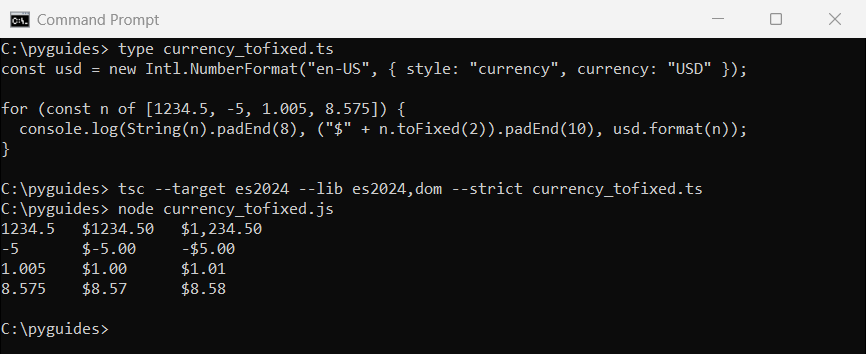 toFixed(2) drops commas, prints $-5.00 and rounds 1.005 down.
Padding digits instead? Use formatting a number to 2 digits in TypeScript.
A typed formatUSD helper for TypeScript
Here’s the helper I use. Formatters are built once, and NaN throws instead of printing $NaN:
const base: Intl.NumberFormatOptions = { style: "currency", currency: "USD", minimumFractionDigits: 2 }; const USD = new Intl.NumberFormat("en-US", base); const USD_ACCOUNTING = new Intl.NumberFormat("en-US", { ...base, currencySign: "accounting" }); interface FormatUSDOptions { accounting?: boolean; fromCents?: boolean } function formatUSD(amount: number, { accounting = false, fromCents = false }: FormatUSDOptions = {}): string { if (!Number.isFinite(amount)) throw new RangeError(`formatUSD: not a finite amount (${amount})`); return (accounting ? USD_ACCOUNTING : USD).format(fromCents ? amount / 100 : amount); } console.log(formatUSD(49.9), formatUSD(-12, { accounting: true }), formatUSD(259900, { fromCents: true })); try { formatUSD(Number("1,299.50")); } catch (e) { console.log((e as Error).message); }Output:
$49.90 ($12.00) $2,599.00 formatUSD: not a finite amount (NaN)Number('1,299.50') is NaN because of the comma; see converting a string to a double in TypeScript for parsing input. Strict mode also catches bad calls:
declare function formatUSD(amount: number, opts?: { accounting?: boolean; fromCents?: boolean }): string; const fromForm = "49.99"; formatUSD(fromForm); formatUSD(12, { acounting: true });Output:
currency_helper_bad.ts(4,11): error TS2345: Argument of type 'string' is not assignable to parameter of type 'number'. currency_helper_bad.ts(5,17): error TS2561: Object literal may only specify known properties, but 'acounting' does not exist in type '{ accounting?: boolean | undefined; fromCents?: boolean | undefined; }'. Did you mean to write 'accounting'?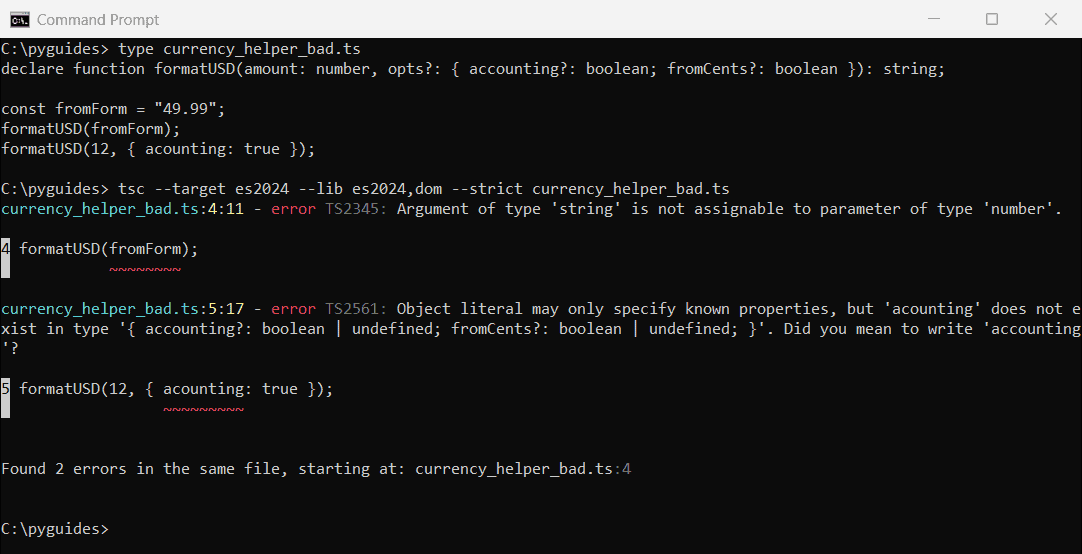 TS2345 for a string amount, TS2561 for a typo.
You’ll find these handy too:
- Number to string with leading zeros in TypeScript
- Format a date with a time zone
- Map an array of objects
- TypeScript key-value pairs
Frequently asked questions
How do I format a number as USD with 2 decimals in TypeScript?
Create new Intl.NumberFormat('en-US', { style: 'currency', currency: 'USD' }) and call format(amount).
How do I show negative dollars in parentheses?
Add currencySign: 'accounting'. -1234.5 then formats as ($1,234.50) in en-US.
Why does toFixed(2) turn 1.005 into 1.00?
Binary stores 1.005 as slightly less, so toFixed rounds down. Intl.NumberFormat printed $1.01 in my run.
Why does my formatter throw a RangeError?
The currency code isn’t valid ISO 4217, such as ‘US’ instead of ‘USD’.
Where are all the Intl.NumberFormat options documented?
See the Intl.NumberFormat() constructor on MDN.








 English (US)