
 4 weeks ago
45
Club.noww.in
You change the working directory in Python with os.chdir(path), and check where you are with os.getcwd(). After the change, every relative file path is resolved from the new folder:
import os os.chdir("monthly") print(os.getcwd())The folder names below are real ones I created under C:\pyguides, and every script ran on Python 3.12.5 in Command Prompt.
You’ll see the basics, the two errors chdir raises, a temporary change with contextlib.chdir, why relative paths depend on it, and how to work from your script’s own folder.
How to change the working directory with os.chdir()
The current working directory (cwd) is the folder Python treats as “here”. It starts as the folder you ran Python from, not necessarily where your script lives:
import os print("start: ", os.getcwd()) os.chdir("monthly") # relative to where you are now print("now: ", os.getcwd()) print("files: ", os.listdir()) # listdir() with no argument uses the cwd os.chdir("..") # back up one level print("back: ", os.getcwd())Output:
start: C:\pyguides now: C:\pyguides\monthly files: ['2026-10', 'readme.txt'] back: C:\pyguides os.chdir("..") goes up one level, just like cd .. in a terminal.
You can pass a relative path, as here, or an absolute one like r"C:\Reports\2026". A raw string avoids backslash escapes on Windows.
Errors when you change the working directory
os.chdir() raises FileNotFoundError for a folder that doesn’t exist and NotADirectoryError if the path is a file. The cwd stays where it was:
import os for target in ["montly", os.path.join("monthly", "readme.txt")]: try: os.chdir(target) except FileNotFoundError as err: print("FileNotFoundError:", err) except NotADirectoryError as err: print("NotADirectoryError:", err) print("still in:", os.getcwd())Output:
FileNotFoundError: [WinError 2] The system cannot find the file specified: 'montly' NotADirectoryError: [WinError 267] The directory name is invalid: 'monthly\\readme.txt' still in: C:\pyguides A typo gives [WinError 2]; pointing at a file gives [WinError 267].
To check first, use os.path.isdir(path). There’s more in checking if a directory exists in Python.
Changing directory temporarily with contextlib.chdir
Python 3.11 added contextlib.chdir. It switches folders for the length of a with block and switches back afterward, even if an error happens:
import os from contextlib import chdir print("before:", os.getcwd()) with chdir(os.path.join("monthly", "2026-10")): print("inside:", os.getcwd()) with open("sales.csv") as f: # a short relative path works here print("read: ", f.readline().strip()) print("after: ", os.getcwd()) # restored automaticallyOutput:
before: C:\pyguides inside: C:\pyguides\monthly\2026-10 read: city,total after: C:\pyguides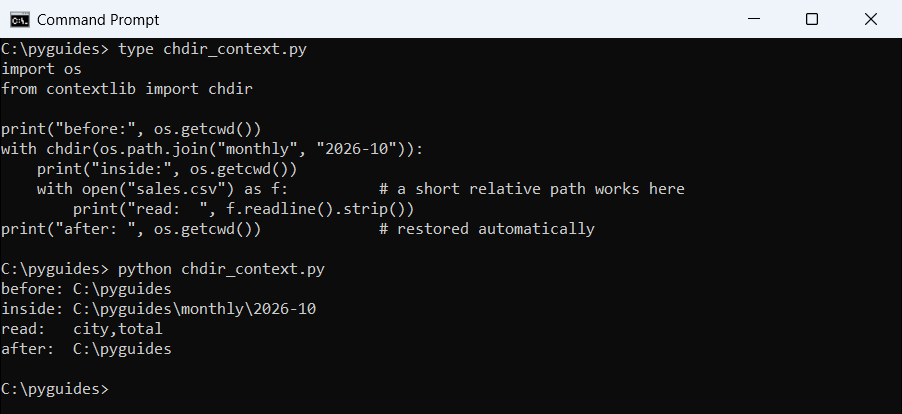 Inside the block, sales.csv opens by its short name. After it, the original folder is back.
It’s the same pattern as with open() as file. One caution from the docs: the working directory is shared by the whole process, so this isn’t safe in multithreaded code.
Why relative paths depend on the working directory
A bare file name like "sales.csv" is looked up in the cwd. That’s why a script can work in your editor but fail when you run it from another folder:
import os def read_report(): with open("sales.csv", encoding="utf-8") as f: return f.read().splitlines()[1] try: print(read_report()) except FileNotFoundError as err: print("FileNotFoundError:", err.filename, "not in", os.getcwd()) os.chdir(os.path.join("monthly", "2026-10")) print("after chdir:", read_report())Output:
FileNotFoundError: sales.csv not in C:\pyguides after chdir: Austin,1250.50 Same function, same file name. Only the working directory changed.
How do you set the working directory to the script’s folder?
Build the folder from __file__. Then you can either chdir into it or, better, build full paths from it without changing the cwd at all:
import os from pathlib import Path here = Path(__file__).resolve().parent os.chdir(here) # run from anywhere, work from the script's folder print("cwd matches script folder:", Path.cwd() == here) print("home folder name exists:", Path.home().exists())Output:
cwd matches script folder: True home folder name exists: TrueI prefer full paths in bigger programs, since changing the cwd affects every module. os.path.join() and pathlib both help with that, and getting the current directory covers more ways to read it.
os.chdir vs alternatives
| os.getcwd() / Path.cwd() | Shows the current folder | Debugging path problems |
| os.chdir(path) | Changes it for the rest of the run | Simple scripts |
| contextlib.chdir(path) | Changes it inside a with block | A few lines need a different folder |
| Full paths from __file__ | No change at all | Libraries and larger apps |
More folder and path guides to try next:
- Make a directory in Python
- List files in a directory
- Move a file in Python
- Import from another directory
Frequently asked questions
How do I change the working directory in Python?
Call os.chdir("path"). Check the result with os.getcwd().
How do I go back to the previous directory?
Save os.getcwd() before changing and chdir back to it, or use contextlib.chdir so it’s restored automatically.
Does os.chdir change the directory for my terminal too?
No. It only affects the running Python process. Your shell’s folder is unchanged when the script ends.
Why do I get FileNotFoundError with os.chdir?
The folder doesn’t exist relative to the current directory. Check the spelling or use an absolute path.
Is there a pathlib version of chdir?
No. pathlib has Path.cwd() to read it, but you change it with os.chdir(), which accepts Path objects.
Where is os.chdir documented?
See os.chdir in the Python docs.








 English (US)