
 1 month ago
50
Club.noww.in
Scraping web data with Python comes down to two steps: download the page with requests, then pull out the parts you need with Beautiful Soup. Here’s the whole idea in four lines:
import requests from bs4 import BeautifulSoup soup = BeautifulSoup(requests.get(url, timeout=20).content, "html.parser") titles = [a["title"] for a in soup.select("article h3 a")]Together we’ll build a small scraper for books.toscrape.com, a fake bookstore made for practice, on Python 3.12.5, requests 2.34.2 and beautifulsoup4 4.15.0.
The project goes step by step: fetch a page, find the data in the HTML, parse every item, follow pages, handle errors, save to CSV, and analyze the results.
Step 1: Install the scraping libraries
You need two packages, plus pandas for the last step. Install them into a virtual environment so they don’t mix with other projects:
python -m venv .venv .venv\Scripts\activate # Windows; use source .venv/bin/activate on macOS/Linux python -m pip install requests beautifulsoup4 pandasIf you’re still deciding between tools, my roundup of Python libraries for web scraping compares Requests, lxml, Scrapy and Playwright.
Step 2: Download a page with requests
Start by checking that the request works and what comes back. A 200 status code means success, and the content type confirms you got HTML:
import requests URL = "https://books.toscrape.com/catalogue/page-1.html" resp = requests.get(URL, timeout=20, headers={"User-Agent": "pythonguides-tutorial/1.0"}) print("status code: ", resp.status_code) print("content type:", resp.headers["Content-Type"]) print("page size: ", len(resp.content), "bytes") print(resp.text[:160].strip())Output:
status code: 200 content type: text/html page size: 50469 bytes <!DOCTYPE html> <!--[if lt IE 7]> <html lang="en-us" class="no-js lt-ie9 lt-ie8 lt-ie7"> <![endif]--> <!--[if IE 7]> <html lang="en-us" class="noAlways pass a timeout. Without one, a slow server can hang your script forever.
Step 3: Find the data in the page’s HTML
Open the page in Chrome or Edge, right-click a book and choose Inspect. Each book sits in an <article class="product_pod"> with the title in a link and the rating as a CSS class.
Those class names become your CSS selectors. Grab just the first book to confirm they work before you loop:
import requests from bs4 import BeautifulSoup URL = "https://books.toscrape.com/catalogue/page-1.html" soup = BeautifulSoup(requests.get(URL, timeout=20).content, "html.parser") book = soup.select_one("article.product_pod") # the first book card title = book.h3.a["title"] rating = book.select_one("p.star-rating")["class"][1] in_stock = "In stock" in book.select_one("p.instock").get_text() link = book.h3.a["href"] print("title: ", title) print("rating: ", rating) print("in stock:", in_stock) print("link: ", link)Output:
title: A Light in the Attic rating: Three in stock: True link: a-light-in-the-attic_1000/index.html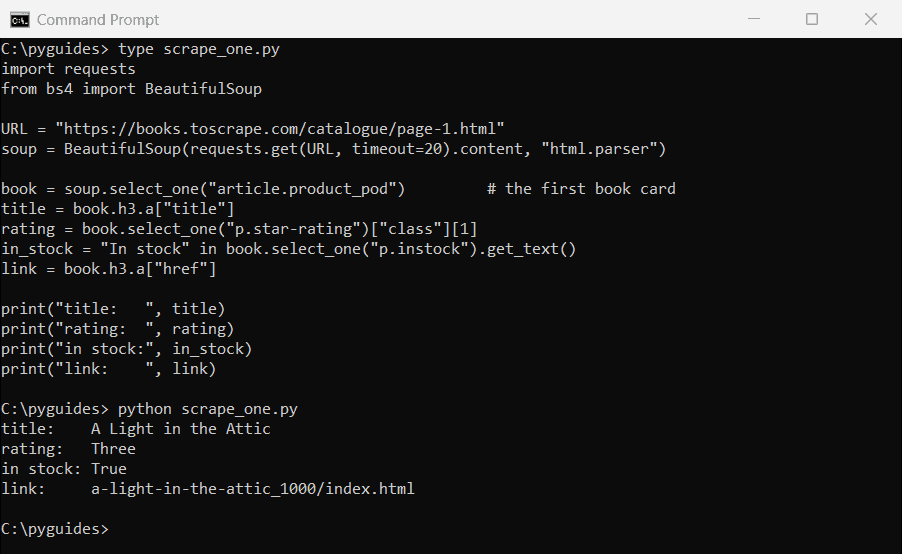 The rating lives in the class name, like star-rating Three, so we read the second class.
Step 4: Scrape every item on the page with Beautiful Soup
Wrap the extraction in a function that returns a list of dictionaries. It also returns the “next” link, which you’ll need for pagination:
import requests from bs4 import BeautifulSoup RATING = {"One": 1, "Two": 2, "Three": 3, "Four": 4, "Five": 5} def parse_page(html): soup = BeautifulSoup(html, "html.parser") rows = [] for card in soup.select("article.product_pod"): rows.append({ "title": card.h3.a["title"], "stars": RATING[card.select_one("p.star-rating")["class"][1]], "in_stock": "In stock" in card.select_one("p.instock").get_text(), }) return rows, soup.select_one("li.next > a") html = requests.get("https://books.toscrape.com/catalogue/page-1.html", timeout=20).content books, next_link = parse_page(html) print(len(books), "books on page 1, next page:", next_link["href"]) for b in books[:5]: print(f"{b['stars']} stars | {b['title'][:60]}")Output:
20 books on page 1, next page: page-2.html 3 stars | A Light in the Attic 1 stars | Tipping the Velvet 1 stars | Soumission 4 stars | Sharp Objects 5 stars | Sapiens: A Brief History of HumankindConverting “Three” to the number 3 right away makes later analysis much easier. Do your cleanup at scrape time whenever you can.
Step 5: Scrape multiple pages, retry errors and save to CSV
Now loop through pages until there’s no next link. A Session reuses the connection, Retry handles temporary server errors, and time.sleep(1) keeps the load polite:
import csv import time import requests from requests.adapters import HTTPAdapter, Retry from bs4 import BeautifulSoup RATING = {"One": 1, "Two": 2, "Three": 3, "Four": 4, "Five": 5} BASE = "https://books.toscrape.com/catalogue/" session = requests.Session() session.headers["User-Agent"] = "pythonguides-tutorial/1.0" session.mount("https://", HTTPAdapter(max_retries=Retry(total=3, backoff_factor=1, status_forcelist=[429, 500, 502, 503]))) books, url, page = [], BASE + "page-1.html", 0 while url and page < 5: # 5 pages while testing; drop the limit for all 50 resp = session.get(url, timeout=20) resp.raise_for_status() # stop on 404s and other errors soup = BeautifulSoup(resp.content, "html.parser") for card in soup.select("article.product_pod"): books.append({"title": card.h3.a["title"], "stars": RATING[card.select_one("p.star-rating")["class"][1]], "url": BASE + card.h3.a["href"]}) nxt = soup.select_one("li.next > a") url = BASE + nxt["href"] if nxt else None page += 1 print(f"page {page}: {len(books)} books so far") time.sleep(1) with open("books.csv", "w", newline="", encoding="utf-8") as f: writer = csv.DictWriter(f, fieldnames=["title", "stars", "url"]) writer.writeheader() writer.writerows(books) print("saved", len(books), "rows to books.csv")Output:
page 1: 20 books so far page 2: 40 books so far page 3: 60 books so far page 4: 80 books so far page 5: 100 books so far saved 100 rows to books.csv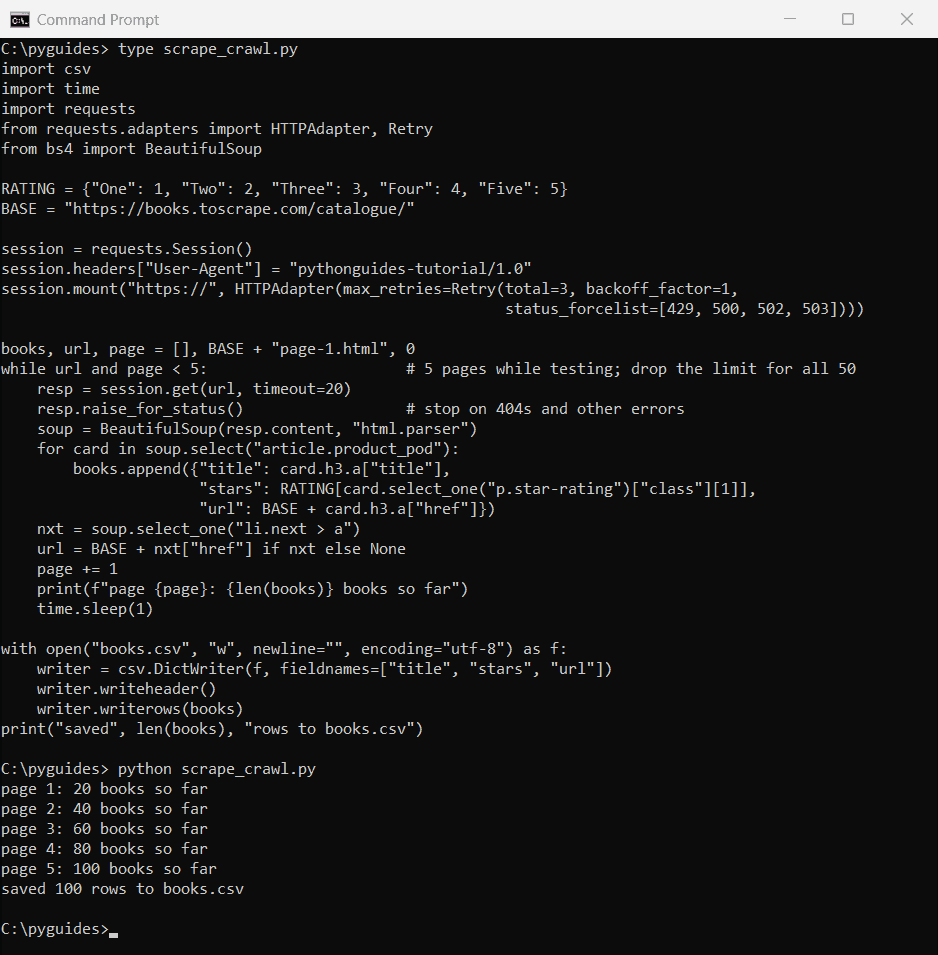 Five pages, 20 books each, saved to books.csv. Remove the page limit to collect all 1,000.
newline="" stops blank lines appearing between rows on Windows. See Python with open() as file for why the encoding matters too.
Step 6: Analyze the scraped data with pandas
Once the data is in a CSV, pandas can summarize it in a few lines. Here’s the rating breakdown and a few five-star picks:
import pandas as pd df = pd.read_csv("books.csv") print(df.shape) print(df["stars"].value_counts().sort_index().to_string()) print("\naverage rating:", round(df["stars"].mean(), 2)) print("five-star picks:") print(df.loc[df["stars"] == 5, "title"].head(4).to_string(index=False))Output:
(100, 3) stars 1 22 2 19 3 22 4 18 5 19 average rating: 2.93 five-star picks: Sapiens: A Brief History of Humankind Set Me Free Scott Pilgrim's Precious Little Life (Scott Pil... Rip it Up and Start Again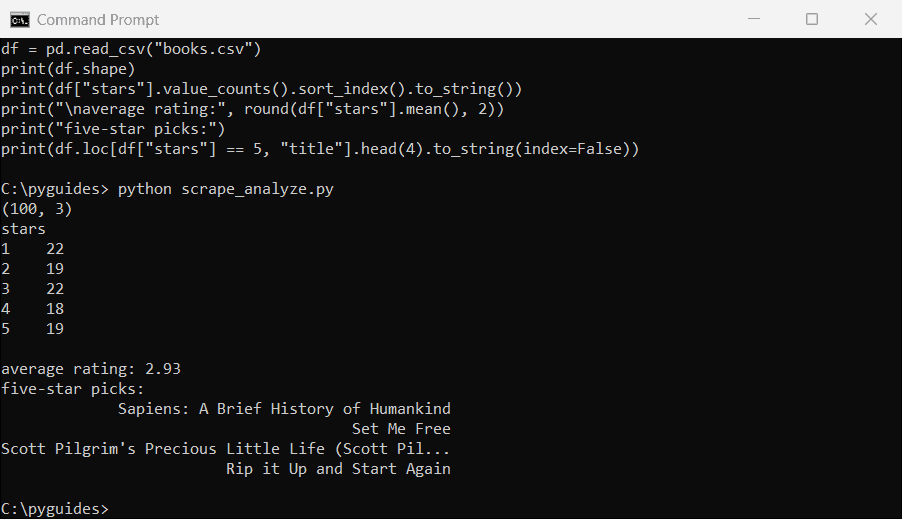 From raw HTML to a rating breakdown. This is where scraping starts paying off.
How do you handle errors when scraping in Python?
Pages disappear and servers go down. raise_for_status() turns 404s and 500s into exceptions, and catching ConnectionError covers sites that don’t answer at all:
import requests for url in ["https://books.toscrape.com/catalogue/page-999.html", "https://books.toscrape.invalid/"]: try: resp = requests.get(url, timeout=10) resp.raise_for_status() except requests.HTTPError as err: print("HTTPError:", err.response.status_code, err.response.reason) except requests.ConnectionError: print("ConnectionError: could not reach", url.split("/")[2])Output:
HTTPError: 404 Not Found ConnectionError: could not reach books.toscrape.invalid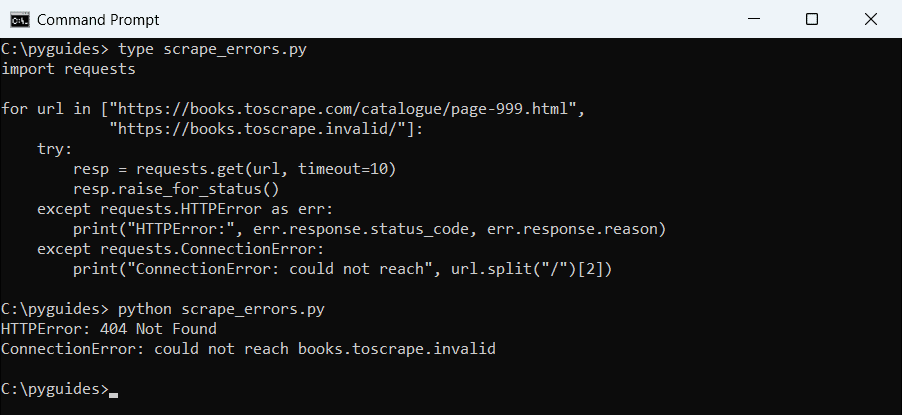 A missing page gives a 404 HTTPError; a domain that doesn’t resolve gives a ConnectionError.
In a real scraper, log these and keep going rather than crashing on page 37 of 50.
Scraping websites responsibly
- Read the site’s terms of service and robots.txt, and use an official API if one exists.
- Identify yourself with a User-Agent and slow down to about one request per second.
- Cache pages while you develop so you don’t download the same page over and over.
- Skip personal data unless you clearly have the right to collect it.
Once your first scraper runs, these guides help with the data:
- Write a list to CSV in Python
- Save a dictionary as a JSON file
- Download files from URLs using Python
- Python while loop
Frequently asked questions
How do I start scraping web data with Python?
Install requests and beautifulsoup4, download a page with requests.get(), and pick elements with soup.select().
How do I find the right CSS selector?
Right-click the element in your browser, choose Inspect, and look at its tag and class names. Test the selector on one item first.
How do I scrape multiple pages?
Find the “next” link on each page and loop until it’s missing, pausing about a second between requests.
Why does my scraper return None?
The selector didn’t match, often because the content loads with JavaScript or the HTML differs from what you inspected.
How do I save scraped data?
Collect dictionaries in a list, then write them with csv.DictWriter or pd.DataFrame(rows).to_csv().
Where can I learn more about requests?
The Requests documentation covers sessions, headers, timeouts and errors.






 English (US)