
 1 month ago
115
Club.noww.in
The sum() function in Python adds up the numbers in any iterable, such as a list, tuple, range or generator, and returns the total. An optional second argument sets the starting value:
sum([1240.50, 860.00, 1530.00]) # 3630.5 sum([1240.50, 860.00], 500) # 2600.5: starts from 500I ran every example on Python 3.12.5, and one of them on Python 3.11 too, because sum() changed how it adds floats in 3.12.
That change gets its own section. Before it come the basics, and after it summing dictionaries and filtered values, counting with sum(), and the errors you’ll run into.
sum() syntax and basic examples
sum(iterable, start=0) adds every item to start and returns the result:
sales = [1240.50, 860.00, 1530.00] print("total:", sum(sales)) print("with a starting value:", sum(sales, 500)) # e.g. a balance carried forward print("empty list:", sum([])) # 0, not an error print("a range:", sum(range(1, 101))) # 1 + 2 + ... + 100Output:
total: 3630.5 with a starting value: 4130.5 empty list: 0 a range: 5050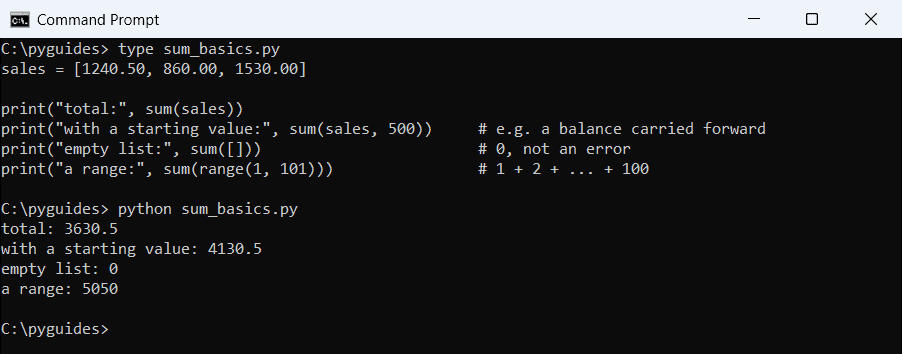 An empty list sums to 0, and sum(range(1, 101)) is the famous 5,050.
Because an empty iterable returns start, you don’t need to check for an empty list before calling sum(). I lean on that a lot.
Why does sum() of floats give a different answer on Python 3.11?
Floats can’t store 0.10 exactly, so adding ten of them used to drift. Python 3.12 made sum() smarter about it, and here’s the same file on both versions:
import math import sys from decimal import Decimal prices = [0.10] * 10 # ten items at 10 cents print(f"Python {sys.version.split()[0]}") print(" sum() :", sum(prices)) print(" math.fsum() :", math.fsum(prices)) print(" Decimal :", sum([Decimal("0.10")] * 10))Command Prompt output:
Python 3.12.5 sum() : 1.0 math.fsum() : 1.0 Decimal : 1.00 Python 3.11.17 sum() : 0.9999999999999999 math.fsum() : 1.0 Decimal : 1.00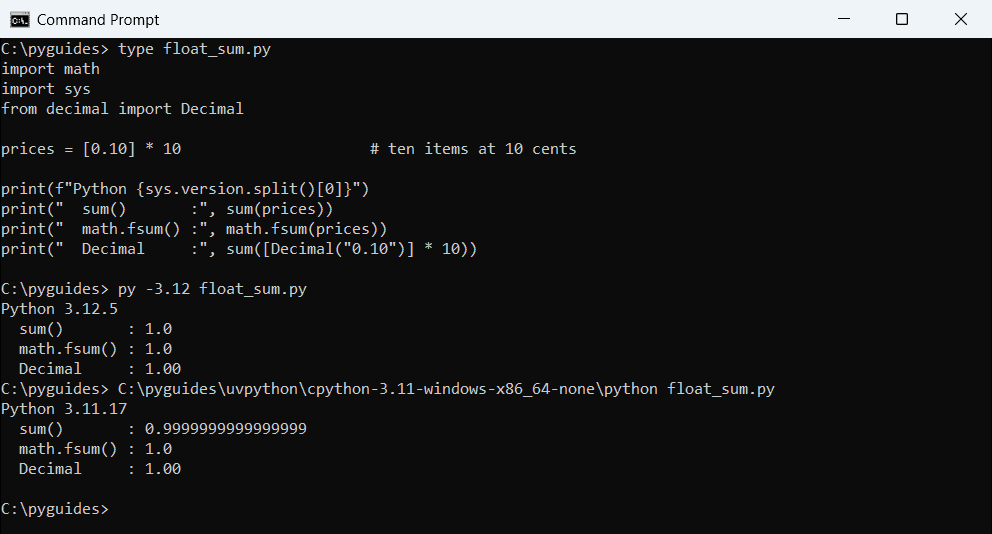 Python 3.12 gets 1.0. Python 3.11 gets 0.9999999999999999. math.fsum() and Decimal agree on both.
Python 3.12 switched sum() to Neumaier summation, which tracks the tiny rounding errors as it goes. Most older tutorials still show the 3.11 result, which is why you may have seen it.
For money, I wouldn’t rely on either float result. Store amounts as Decimal, or as whole cents in an int, and the totals come out exact on every version. math.fsum() is the most accurate choice when you do need floats.
Summing dictionary values and filtered items
sum() accepts a generator expression, so you can pick and filter what gets added without building a list first:
orders = [ {"id": "A101", "state": "TX", "amount": 129.99}, {"id": "A102", "state": "CO", "amount": 48.50}, {"id": "A103", "state": "TX", "amount": 612.00}, ] print("all orders :", sum(o["amount"] for o in orders)) print("Texas only :", sum(o["amount"] for o in orders if o["state"] == "TX")) inventory = {"mugs": 14, "pens": 120, "notebooks": 37} print("items in stock:", sum(inventory.values()))Output:
all orders : 790.49 Texas only : 741.99 items in stock: 171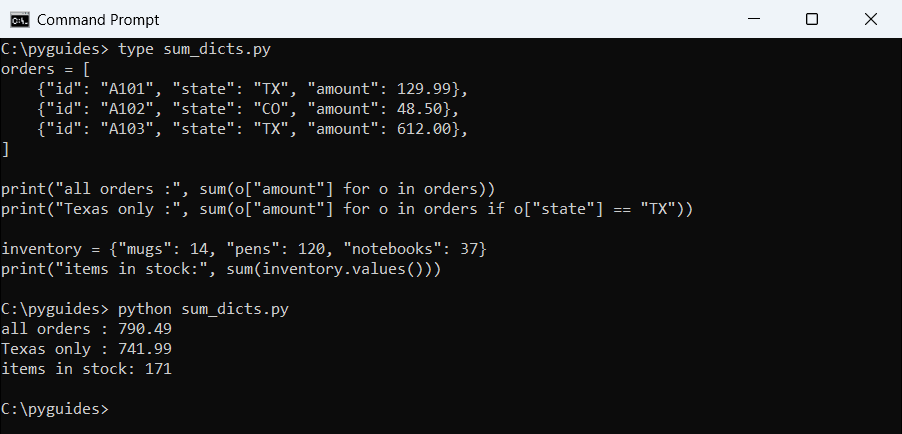 A generator picks the amounts, an if filters to Texas, and .values() totals a dictionary.
Writing the generator straight inside sum() saves memory on large data. For the average rather than the total, see the average of a list in Python.
Counting with sum() and summing a 2D list
Booleans count as 1 and 0, so sum() doubles as a counter. It also totals a list of lists when you sum each row:
orders = [129.99, 48.50, 612.00, 89.95, 1250.00] print("orders over $100:", sum(1 for a in orders if a > 100)) print("same, with bools :", sum(a > 100 for a in orders)) # True counts as 1 grid = [[1, 2, 3], [4, 5], [6]] print("2D total:", sum(sum(row) for row in grid)) print("row totals:", [sum(row) for row in grid])Output:
orders over $100: 3 same, with bools : 3 2D total: 21 row totals: [6, 9, 6]sum(a > 100 for a in orders) is a neat trick, but the explicit sum(1 for ...) version is clearer to most readers. For large numeric grids, NumPy sum is much faster.
sum() can’t sum strings: use join() instead
sum() refuses to add strings, and the error message tells you what to use instead:
words = ["ship", "to", "Denver"] try: print(sum(words, "")) except TypeError as err: print("TypeError:", err) print(" ".join(words)) # the right tool for text print(sum([[1, 2], [3]], [])) # works for lists, but slow on big onesOutput:
TypeError: sum() can't sum strings [use ''.join(seq) instead] ship to Denver [1, 2, 3]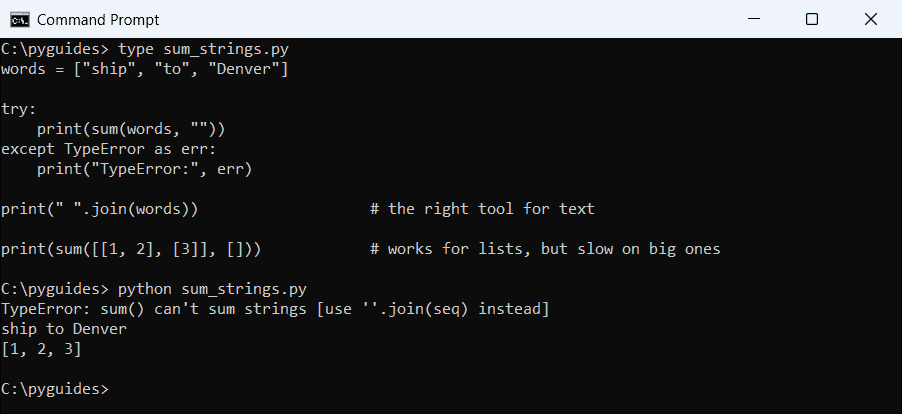 The error suggests ''.join(seq), which is the right tool for building text.
Lists do work with a [] start value, but each addition copies the growing list, so it slows down badly with many rows. itertools.chain() or a comprehension flattens faster.
TypeError: ‘int’ object is not callable after naming a variable sum
If sum() suddenly stops working, check whether you named a variable sum. That’s easy to do in a loop that keeps a running total:
sum = 0 # a variable named sum hides the built-in for amount in [10, 20, 30]: sum += amount print("loop total:", sum) try: sum([1, 2, 3]) except TypeError as err: print("TypeError:", err) del sum # the built-in is visible again print("built-in again:", sum([1, 2, 3]))Output:
loop total: 60 TypeError: 'int' object is not callable built-in again: 6The variable hides the built-in function. Rename it to total; Python variable scope explains why a global name can hide a built-in.
sum() in Python: quick reference
| Total a list | sum(items) |
| Start from a value | sum(items, 500) |
| Total one field | sum(o["amount"] for o in orders) |
| Total with a condition | sum(a for a in orders if a > 100) |
| Count matches | sum(1 for a in orders if a > 100) |
| Dictionary values | sum(d.values()) |
| 2D list | sum(sum(row) for row in grid) |
| Most accurate floats | math.fsum(items) |
| Exact money | sum(Decimal(...) ...) |
| Join strings | "".join(words) |
Other ways to add things up in Python:
- Sum a list without using sum()
- Sum a list with a for loop
- NumPy sum
- Average of a list in Python
- The len() function in Python
Frequently asked questions
What does sum() do in Python?
It adds up the items of an iterable, such as a list, tuple or generator, and returns the total. An optional second argument sets the starting value.
Why is sum([0.1] * 10) not exactly 1.0?
On Python 3.11 and earlier it gives 0.9999999999999999 because floats can’t store 0.1 exactly. Python 3.12 and later return 1.0, thanks to more careful float addition.
How do I sum a list of strings?
You can’t with sum(); it raises TypeError. Use "".join(words), or " ".join(words) to put spaces between them.
How do I sum the values of a dictionary?
Use sum(d.values()). To total one field from a list of dictionaries, use sum(o["amount"] for o in orders).
What does sum() return for an empty list?
It returns the start value, which is 0 by default, so an empty list never raises an error.
Should I use sum() for money?
Use it with Decimal values or integer cents, not floats. The sum() documentation also recommends math.fsum() for extended-precision floats.






 English (US)