
 2 weeks ago
27
Club.noww.in
For a Python replace with a regular expression, use re.sub(pattern, replacement, text). It finds every match of the pattern and returns a new string with each one replaced:
import re re.sub(r"\d+", "####", "Order 1042 shipped") # 'Order #### shipped'All output below is from Python 3.12.5, using made-up orders, phone numbers and prices.
I’ll cover the basics, reusing captured groups, computing replacements with a function, counting replacements, and the mistakes that trip people up most.
How to replace text with re.sub()
You’ll find re.sub() replaces every match unless you limit it with count. Pass flags=re.IGNORECASE to ignore case:
import re text = "Order 1042 shipped to Austin, TX. Order 1043 shipped to Denver, CO." print(re.sub(r"\d+", "####", text)) # every run of digits print(re.sub(r"Order", "Invoice", text, count=1)) # only the first match print(re.sub(r"\s+", " ", "too many spaces\there")) print(re.sub(r"shipped", "SHIPPED", text, flags=re.IGNORECASE).count("SHIPPED"), "replacements")Output:
Order #### shipped to Austin, TX. Order #### shipped to Denver, CO. Invoice 1042 shipped to Austin, TX. Order 1043 shipped to Denver, CO. too many spaces here 2 replacements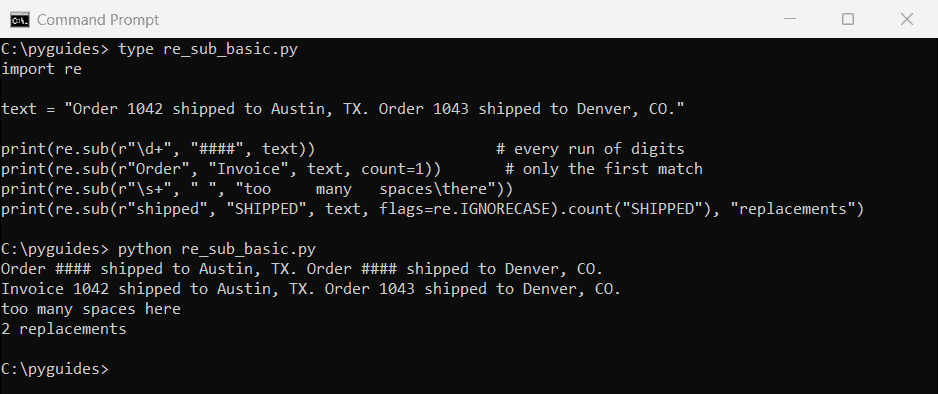 One function handles all four jobs. Strings are immutable, so you always get a new string back.
Write patterns as raw strings, like r"\d+", so Python doesn’t treat backslashes as escapes. For a full introduction, see regular expressions in Python.
Using captured groups in a regex replacement
Parentheses capture parts of the match, and \1, \2 put them back in the replacement. Named groups use \g<name>. That makes reformatting easy:
import re phones = "Call 512-555-0147 or (303) 555 0199 or 6175550123" digits_only = re.sub(r"\D", "", "(303) 555-0199") print(digits_only) pattern = r"\(?(\d{3})\)?[\s.-]?(\d{3})[\s.-]?(\d{4})" print(re.sub(pattern, r"(\1) \2-\3", phones)) # reuse captured groups dates = "Due 10/31/2026, paid 11/02/2026" print(re.sub(r"(?P<m>\d{2})/(?P<d>\d{2})/(?P<y>\d{4})", r"\g<y>-\g<m>-\g<d>", dates))Output:
3035550199 Call (512) 555-0147 or (303) 555-0199 or (617) 555-0123 Due 2026-10-31, paid 2026-11-02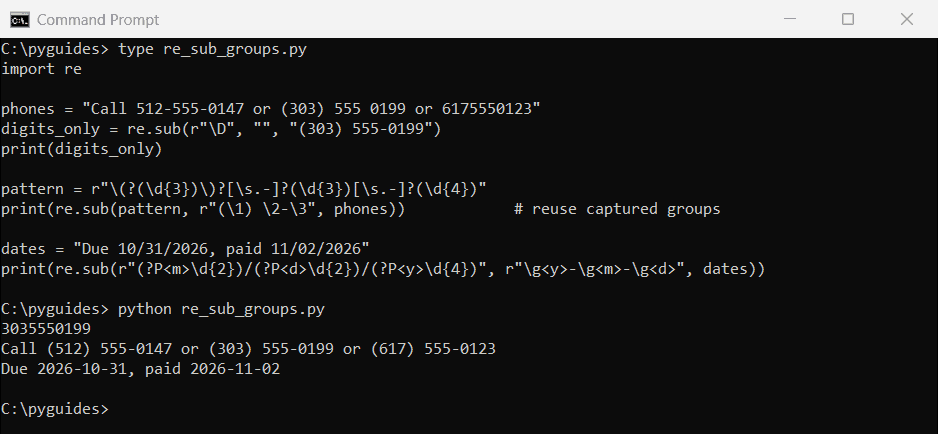 Three phone formats become one, and US dates become year-month-day.
Using a function as the replacement
When the new text depends on the match, you can pass a function, which is my favorite re.sub feature. It receives each match object and returns the replacement string:
import re def add_tax(match): price = float(match.group(1)) return f"${price * 1.08:.2f}" menu = "Latte $4.50, Bagel $2.75, Muffin $3.25" print(re.sub(r"\$(\d+\.\d{2})", add_tax, menu)) # replacement computed per match card = "Card on file: 4111 1111 1111 1234" print(re.sub(r"\d{4}(?= )", "****", card)) # mask all but the last group email = "Contact jane.doe@example.com" print(re.sub(r"(\w)[\w.]*(@)", r"\1***\2", email))Output:
Latte $4.86, Bagel $2.97, Muffin $3.51 Card on file: **** **** **** 1234 Contact j***@example.com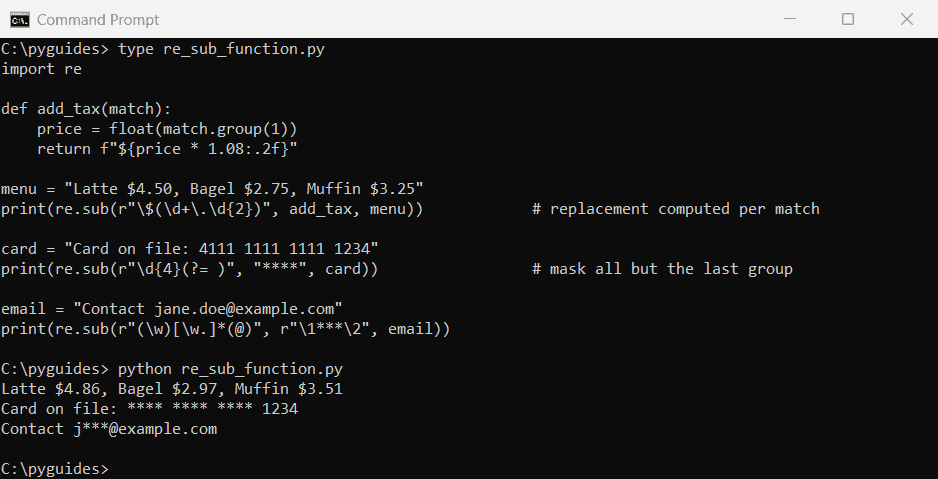 Each price gets 8% tax added, and the lookahead (?= ) masks every card group except the last.
Functions avoid fiddly escaping and let you use any Python logic you’d like. For non-regex string tricks, see removing a substring from a string.
Counting replacements with re.subn()
re.subn() works like re.sub() but also returns how many replacements it made. If you apply the same pattern many times, re.compile() it once:
import re log = "ERROR disk full; error retrying; Error resolved" new_text, n = re.subn(r"error", "WARN", log, flags=re.I) print(new_text) print(n, "replacements made") clean = re.compile(r"[^A-Za-z0-9 ]+") # compile once, reuse many times for name in ["Ava's Café #1", "Ben & Jerry's", "C-3PO!"]: print(repr(clean.sub("", name)))Output:
WARN disk full; WARN retrying; WARN resolved 3 replacements made 'Avas Caf 1' 'Ben Jerrys' 'C3PO'You don’t need to compile for speed in small scripts, since Python caches recent patterns, but it keeps code tidy when a pattern is used in several places.
Why isn’t my re.sub working?
In my experience, most surprises come from special characters you didn’t mean as regex. A plain . matches any character, a missing r prefix mangles backslashes, and backslashes in the replacement are processed too:
import re print(re.sub(r"\d", "#", "Room 12")) # raw string: \d means a digit print(re.sub(".", "-", "a.b.c")) # "." matches ANY character print(re.sub(r"\.", "-", "a.b.c")) # escape it to match a dot print("a.b.c".replace(".", "-")) # or skip regex for fixed text price = "$5" print(re.sub(r"COST", re.escape(price), "Total: COST")) # escape() is for patterns... print(re.sub(r"COST", lambda m: price, "Total: COST")) # ...a function avoids replacement escapesOutput:
Room ## ----- a-b-c a-b-c Total: \$5 Total: $5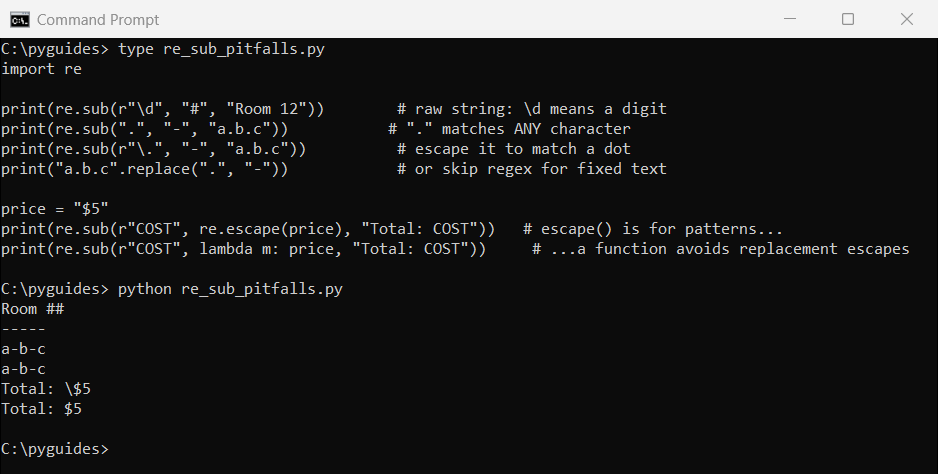 Unescaped, . replaced every character. For fixed text, str.replace() is simpler and faster.
Notice the re.escape(price) line printed \$5: escaping is for patterns, not replacements. Passing a function, as on the last line, inserts text exactly as is.
re.sub cheat sheet
| Replace all matches | re.sub(r"\d+", "#", s) |
| Replace the first match only | re.sub(p, r, s, count=1) |
| Ignore case | re.sub(p, r, s, flags=re.I) |
| Reuse a group | re.sub(r"(\w+)@", r"\1 at ", s) |
| Compute the replacement | re.sub(p, func, s) |
| Count replacements | new, n = re.subn(p, r, s) |
More string guides worth reading:
- Check if a string contains a substring
- Find all occurrences of a substring
- Remove a substring from a string
- Convert an int to a string
Frequently asked questions
How do I replace text with a regular expression in Python?
Use re.sub(pattern, replacement, text). It returns a new string with every match replaced.
How do I replace only the first match?
Pass count=1: re.sub(pattern, repl, text, count=1).
How do I use a captured group in the replacement?
Refer to it as \1, \2 and so on, or \g<name> for named groups.
What’s the difference between re.sub and str.replace?
str.replace() swaps fixed text. re.sub() matches patterns, such as any number or any whitespace.
How do I make re.sub case-insensitive?
Add flags=re.IGNORECASE (or re.I).
Where is re.sub documented?
See re.sub in the Python docs.







 English (US)