
 1 month ago
83
Club.noww.in
A Python for loop runs a block of code once for each item in a sequence, such as a list, a string, a range of numbers or a dictionary. The loop variable takes each value in turn, so you never manage an index yourself:
for city in ["Austin", "Denver", "Seattle"]: print("Shipping to", city)All the output on this page is real, from Python 3.12.5 in the Windows Command Prompt, and the sample data uses US cities, dollars and state sales tax rates.
Below you’ll find range(), enumerate() and zip(), looping over dictionaries and strings, nested loops, break and continue, and the mistake that silently skips items.
Python for loop syntax
The pattern is always for name in something iterable, then a colon and an indented block:
cities = ["Austin", "Denver", "Seattle"] for city in cities: # city takes each value in turn print("Shipping to", city) print("all", len(cities), "cities done")Output:
Shipping to Austin Shipping to Denver Shipping to Seattle all 3 cities done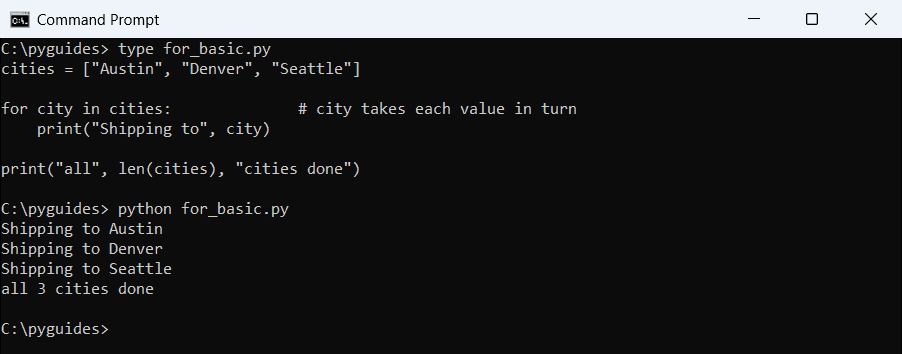 One pass per item. The line after the loop runs once, when the list is used up.
Python’s for loop is really a “for each” loop. If you’re coming from C or Java, there’s no i = 0; i < n; i++ to write; Python hands you the items directly.
Looping over numbers with range()
When you need numbers rather than items from a list, range() generates them. It takes up to three arguments: start, stop and step:
print("range(5): ", list(range(5))) # 0 up to, not including, 5 print("range(1, 6): ", list(range(1, 6))) # start, stop print("range(0, 101, 25):", list(range(0, 101, 25))) # start, stop, step print("range(5, 0, -1): ", list(range(5, 0, -1))) # counting down total = 0 for month in range(1, 13): total += 150 print(f"saved ${total:,} in 12 months")Output:
range(5): [0, 1, 2, 3, 4] range(1, 6): [1, 2, 3, 4, 5] range(0, 101, 25): [0, 25, 50, 75, 100] range(5, 0, -1): [5, 4, 3, 2, 1] saved $1,800 in 12 months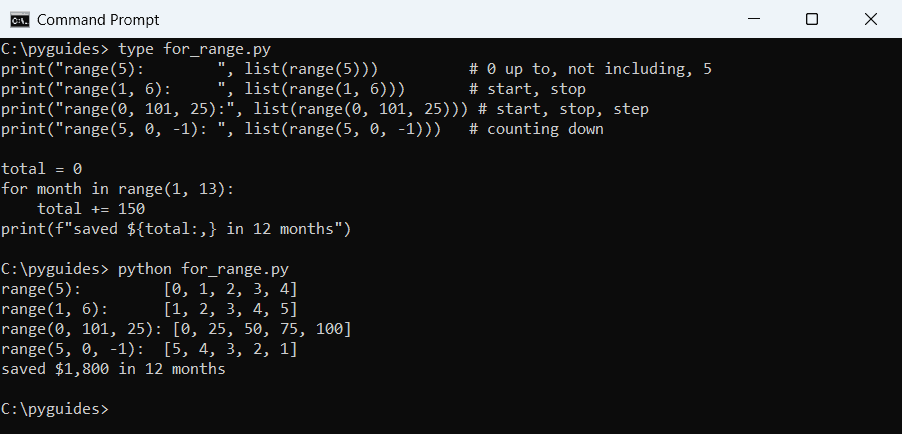 The stop value is never included: range(5) ends at 4.
That “stop is excluded” rule is the most common source of off-by-one mistakes. for i in range() in Python covers range() in more depth.
Python for loop with enumerate(), zip() and dictionaries
Three built-ins cover most of what people otherwise do with indexes. enumerate() adds a counter, zip() walks lists together, and .items() gives a dictionary’s keys and values:
stores = ["Austin", "Dallas", "Houston"] sales = [1240.50, 860.00, 1530.00] # enumerate: a counter as well as the item for number, store in enumerate(stores, start=1): print(number, store) # zip: walk two lists side by side for store, amount in zip(stores, sales): print(f"{store:8} ${amount:,.2f}") # a dictionary: .items() gives key and value together tax_rates = {"TX": 0.0625, "CO": 0.029, "WA": 0.065} for state, rate in tax_rates.items(): print(f"{state}: {rate:.2%}")Output:
1 Austin 2 Dallas 3 Houston Austin $1,240.50 Dallas $860.00 Houston $1,530.00 TX: 6.25% CO: 2.90% WA: 6.50%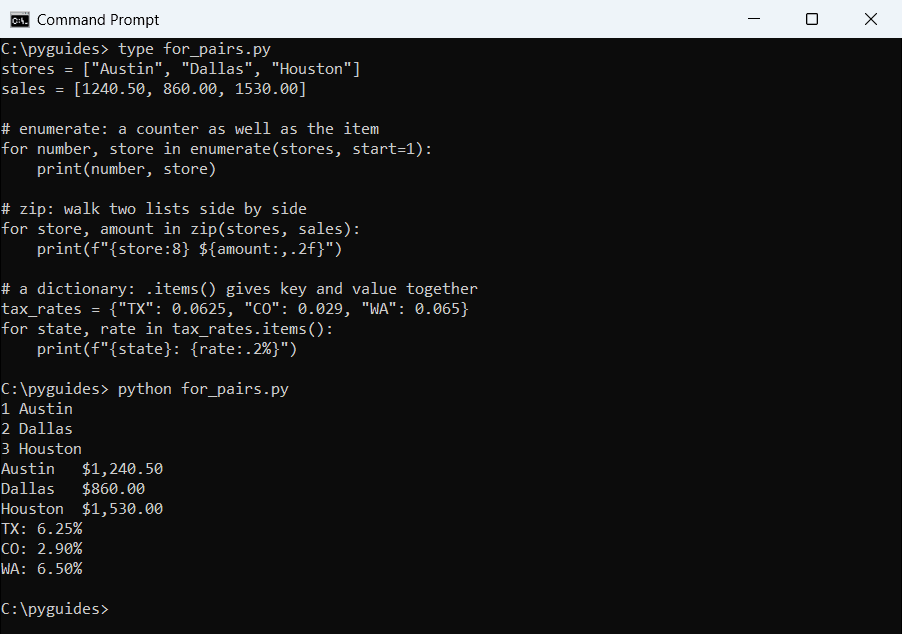 Numbered stores, stores paired with sales in dollars, and state sales tax rates from a dictionary.
zip() stops at the shorter list, without an error. Pass strict=True on Python 3.10 or later if mismatched lengths should raise one instead.
If you need the position of each item, Python for loop with index compares enumerate() with the other approaches.
Looping through a string
A string is a sequence of characters, so a for loop goes through it one letter at a time. To loop over words instead, split it first:
for letter in "ZIP": print(letter) for word in "ship to Denver Colorado".split(): print(word.capitalize(), end=" ") print()Output:
Z I P Ship To Denver ColoradoNested for loops
A loop inside a loop runs the inner one completely for every pass of the outer one. Here, four seats for each of three rows:
rows = ["A", "B", "C"] for row in rows: # outer loop: once per row seats = [] for number in range(1, 5): # inner loop: once per seat, for every row seats.append(f"{row}{number}") print(" ".join(seats))Output:
A1 A2 A3 A4 B1 B2 B3 B4 C1 C2 C3 C4Nested loops multiply: three rows times four seats is twelve passes. With large inputs that grows fast, so it’s worth asking whether a dictionary lookup could replace the inner loop.
Using break, continue and else in a for loop
continue skips the rest of the current pass, break ends the loop, and an else block runs only if the loop finished without a break:
orders = [129.99, -1, 48.50, 612.00, 89.95] for amount in orders: if amount < 0: print("skipping bad entry") continue # go to the next order if amount > 500: print("stopping at", amount) break # leave the loop print("processing", amount) else: print("never printed: the loop ended with break")Output:
processing 129.99 skipping bad entry processing 48.5 stopping at 612.0Python break and continue covers all three in detail, including how to break out of nested loops.
Why does removing items in a for loop skip some of them?
Changing a list while you loop over it confuses the loop’s position. Remove the 5, everything shifts left, and the loop moves on past the 3 without ever looking at it:
prices = [5, 3, 12, 25] for p in prices: if p < 10: prices.remove(p) # changing the list you're looping over print("removing while looping:", prices) # 3 survived! prices = [5, 3, 12, 25] print("comprehension instead :", [p for p in prices if p >= 10]) prices = [5, 3, 12, 25] for p in prices[:]: # loop over a copy, change the original if p < 10: prices.remove(p) print("loop over a copy :", prices)Output:
removing while looping: [3, 12, 25] comprehension instead : [12, 25] loop over a copy : [12, 25]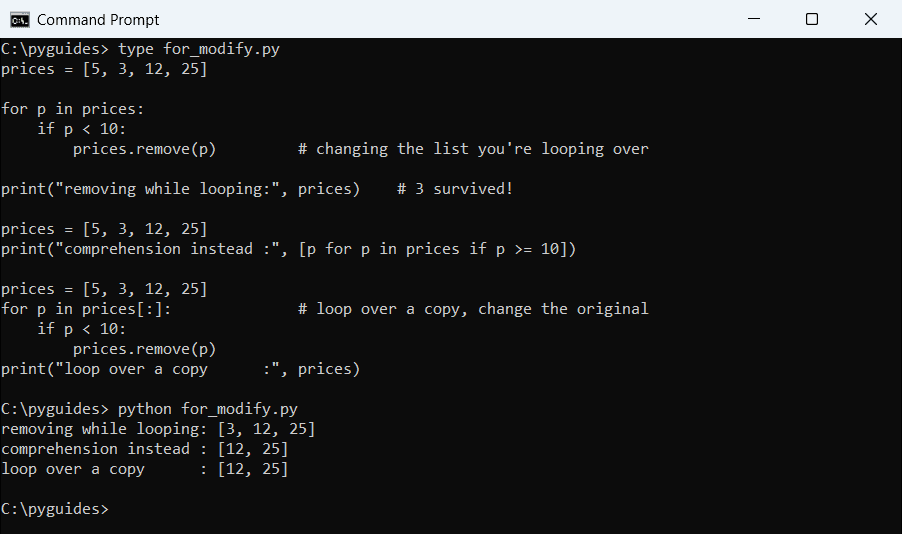 The 3 should have been removed but wasn’t. Both alternatives give the right answer.
Build a new list with a comprehension, or loop over a copy with prices[:]. Dictionaries are stricter: changing their size mid-loop raises RuntimeError: dictionary changed size during iteration.
Comprehensions are the usual fix, and Python list comprehension explains the syntax.
Looping backward or in sorted order
reversed() and sorted() change the order without changing the list itself:
scores = [88, 95, 72] for s in reversed(scores): print("reversed:", s) for s in sorted(scores, reverse=True): print("highest first:", s) for i in range(len(scores) - 1, -1, -1): # works, but reversed() reads better print("by index:", scores[i])Output:
reversed: 72 reversed: 95 reversed: 88 highest first: 95 highest first: 88 highest first: 72 by index: 72 by index: 95 by index: 88One last scope note: the loop variable still exists after the loop ends, holding the last value. Python variable scope explains why Python allows that.
Python for loop cheat sheet
| A list | for item in items: |
| Numbers 0 to n-1 | for i in range(n): |
| Items with a counter | for i, item in enumerate(items, start=1): |
| Two lists together | for a, b in zip(list_a, list_b): |
| Dictionary keys and values | for key, value in d.items(): |
| Backward | for item in reversed(items): |
| Sorted | for item in sorted(items): |
| And remove items | items = [x for x in items if keep(x)] |
For loops are the everyday loop in Python, and for loop vs while loop explains when the other kind is the better fit. You might also like:
- Python while loop
- Python break and continue
- for i in range() in Python
- Python for loop with index
- Python list comprehension
Frequently asked questions
What is a for loop in Python?
A loop that runs its block once for each item in a sequence, like a list, string, range or dictionary, with the loop variable holding the current item.
How do I loop a specific number of times in Python?
Use range(): for i in range(10): runs ten times, with i going from 0 to 9.
How do I get the index in a Python for loop?
Use enumerate(): for i, item in enumerate(items):. Add start=1 to count from 1.
How do I loop through a dictionary in Python?
Use for key, value in d.items():. Looping over the dictionary itself gives just the keys.
Why does my for loop skip items when I remove them?
Removing from the list you’re looping over shifts the remaining items, so the loop steps past one. Use a list comprehension or loop over a copy.
Is Python’s for loop a for-each loop?
Yes. It goes through the items of an iterable rather than counting an index. The Python tutorial explains how it differs from C’s for loop.







 English (US)