
 4 weeks ago
51
Club.noww.in
os.path.join() in Python combines folder and file names into one path, using the right separator for your operating system: a backslash on Windows and a forward slash on macOS and Linux.
import os os.path.join("reports", "2026", "sales.csv") # Windows: reports\2026\sales.csv Mac/Linux: reports/2026/sales.csvMy machine runs Python 3.12.5 on Windows, so the screenshots show backslashes; I also use posixpath to show what macOS and Linux would print.
I’ll cover the basics, Windows vs Linux output, the absolute-path rule that confuses everyone, joining a list, the pathlib alternative, and building paths relative to your script.
How os.path.join works in Python
Pass any number of strings and it puts one separator between each. It won’t double a slash that’s already there:
import os path = os.path.join("reports", "2026", "october", "sales.csv") print(path) print("separator on this OS:", repr(os.sep)) folder = "invoices" print(os.path.join(folder, "INV-1042.pdf")) print(os.path.join("data/", "users.json")) # an existing trailing slash isn't doubledOutput:
reports\2026\october\sales.csv separator on this OS: '\\' invoices\INV-1042.pdf data/users.json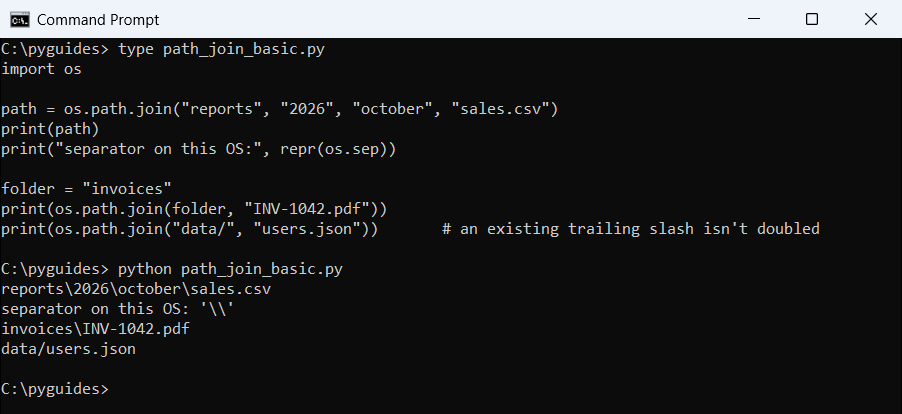 On Windows, os.sep is a backslash, so that’s what os.path.join() inserts.
Why not just glue strings with + "/" +? Because then you have to remember separators and trailing slashes yourself, and your code breaks the moment a path ends with one.
os.path.join on Windows vs Linux and macOS
os.path is really ntpath on Windows and posixpath everywhere else. Importing both lets you see each platform’s result from one machine:
import ntpath, posixpath parts = ("home", "jane", "projects", "app.py") print("Windows rules:", ntpath.join(*parts)) print("Mac/Linux: ", posixpath.join(*parts)) print(ntpath.join("C:\\Users", "Public", "notes.txt")) print(posixpath.join("/var/log", "nginx", "access.log"))Output:
Windows rules: home\jane\projects\app.py Mac/Linux: home/jane/projects/app.py C:\Users\Public\notes.txt /var/log/nginx/access.log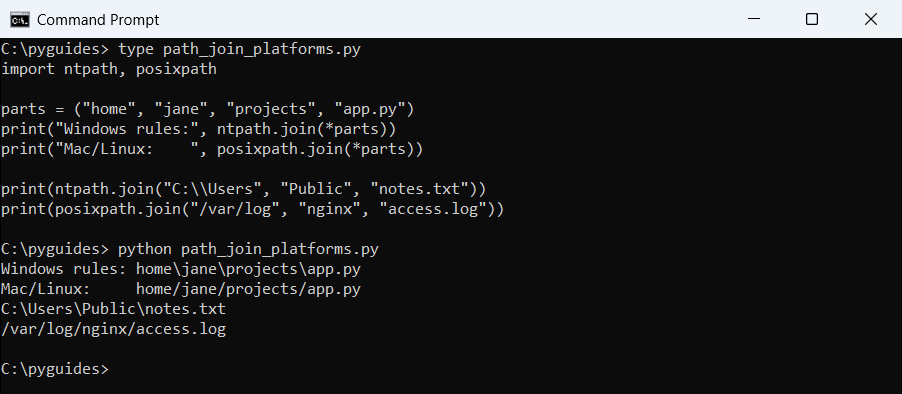 Same parts, different separators. Use plain os.path.join and your code adapts automatically.
Why does os.path.join ignore my first path?
This is the big gotcha. If any part is an absolute path, everything before it is thrown away. A leading slash on the second argument is usually an accident:
import ntpath, posixpath print(posixpath.join("/srv/app", "/etc/config.ini")) # absolute part wins print(posixpath.join("/srv/app", "etc/config.ini")) # relative part is appended print(ntpath.join("C:\\app", "D:\\data", "file.csv")) # new drive resets everything print(ntpath.join("C:\\app", "\\data", "file.csv")) # rooted: keeps the drive C: print(ntpath.join("C:\\app", "logs", "")) # empty last part adds a separatorOutput:
/etc/config.ini /srv/app/etc/config.ini D:\data\file.csv C:\data\file.csv C:\app\logs\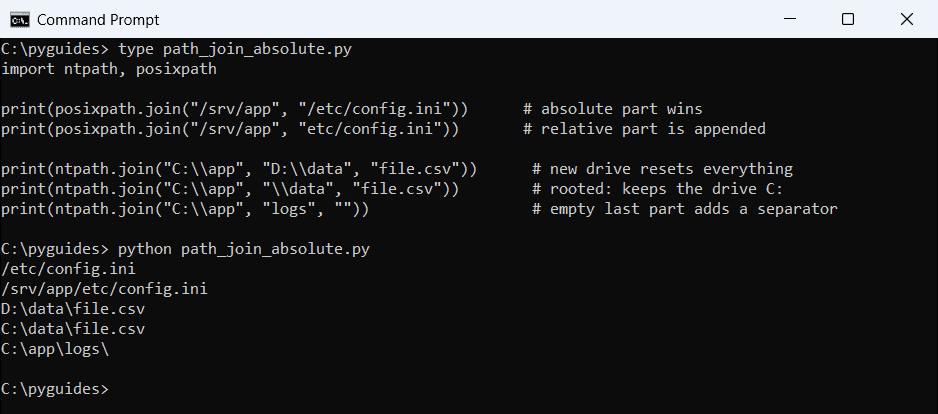 "/etc/config.ini" replaced /srv/app entirely. On Windows, a new drive letter resets everything too.
The fix is to strip the leading slash, for example part.lstrip("/\\"), when the piece comes from user input or a URL. And an empty last argument adds a trailing separator, which is handy for folder prefixes.
Joining a list of path parts
os.path.join() takes separate arguments, not a list, so unpack the list with *. In a loop, it’s an easy way to build one path per item:
import os parts = ["exports", "2026", "q4", "summary.csv"] print(os.path.join(*parts)) # unpack a list base = os.path.join("backups", "stores") for city in ["austin", "denver", "boston"]: print(os.path.join(base, city, "orders.db")) try: os.path.join("reports", 2026) # every part must be a string or path except TypeError as err: print("TypeError:", err)Output:
exports\2026\q4\summary.csv backups\stores\austin\orders.db backups\stores\denver\orders.db backups\stores\boston\orders.db TypeError: join() argument must be str, bytes, or os.PathLike object, not 'int'Each part must be a string or a path object. Convert numbers first with str(); there’s more on that in converting an int to a string.
os.path.join vs pathlib
pathlib does the same job with the / operator and gives you useful extras like .name, .suffix and .parent:
import os from pathlib import Path old = os.path.join("reports", "2026", "sales.csv") new = Path("reports") / "2026" / "sales.csv" print(old) print(new) print(str(new) == old) print(new.name, new.suffix, new.parent) # extra helpers pathlib gives you print(Path("/srv/app") / "/etc/config.ini") # same absolute-path ruleOutput:
reports\2026\sales.csv reports\2026\sales.csv True sales.csv .csv reports\2026 \etc\config.ini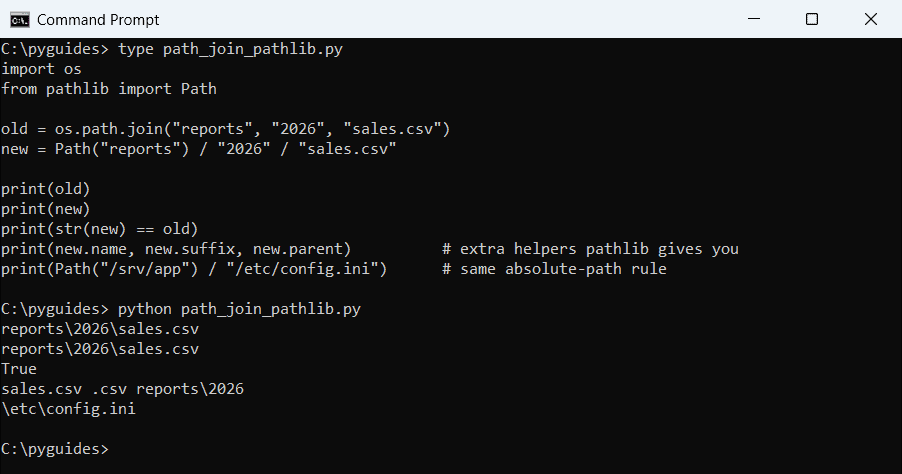 Both produce the same path. pathlib follows the same absolute-path rule.
I use pathlib for new code and os.path.join when I’m working in older code that already uses os. Both are fine. For creating folders with either, see how to make a directory in Python.
Building paths relative to your script
Relative paths depend on the folder you run Python from, which is a common source of FileNotFoundError. Anchor them to the script’s own folder instead:
import os script_dir = os.path.dirname(os.path.abspath(__file__)) data_file = os.path.join(script_dir, "data", "prices.csv") print("ends with:", os.path.join(*data_file.split(os.sep)[-2:])) print("normalized:", os.path.normpath(os.path.join("reports", "..", "exports", ".", "q4"))) print("exists?", os.path.exists(data_file))Output:
ends with: data\prices.csv normalized: exports\q4 exists? Falseos.path.normpath() cleans up .. and . parts. If you’d rather change folders, see getting the current directory in Python.
Here are more file path guides to try:
- Get the filename from a path
- Get a file extension in Python
- Check if a file exists in Python
- Python with open() as file
Frequently asked questions
What does os.path.join do in Python?
It joins path parts with the correct separator for your OS, so os.path.join("a", "b") is a\b on Windows and a/b elsewhere.
Why does os.path.join drop the first argument?
A later argument is an absolute path, such as one starting with / or a drive letter. Remove the leading slash from that part.
How do I join a list of paths?
Unpack it: os.path.join(*parts).
Should I use os.path.join or pathlib?
Either works. pathlib’s Path("a") / "b" is more modern and comes with handy helpers.
Does os.path.join check that the path exists?
No. It only builds the string. Use os.path.exists() to check.
Where is os.path.join documented?
See os.path.join in the Python docs.








 English (US)