
 2 weeks ago
42
Club.noww.in
Here’s how to create an app using Python: decide what kind of app it is (command line, desktop or web), pick the matching library, and build a small working version first. For a desktop window, PyQt6 takes about 30 lines:
python -m pip install PyQt6 # desktop apps python -m pip install flask # web appsTo keep things comparable, I built the same tip calculator three ways and ran each one on Python 3.12.5, Flask 3.1.3 and PyQt6. The screenshots are the real apps running on Windows.
You’ll see a command-line app with argparse, a desktop app with PyQt6, a web app with Flask, how to test it, and how to package an app so others can run it.
Which kind of Python app should you build?
| Command line (CLI) | argparse (built in), Typer, Click | Scripts and tools for yourself or developers |
| Desktop (GUI) | Tkinter (built in), PyQt6 / PySide6 | Windows, Mac and Linux programs with windows and buttons |
| Web | Flask, Django, FastAPI | Anything people use in a browser |
| Data apps | Streamlit | Dashboards from data scripts, quickly |
| Mobile | Kivy, BeeWare | Possible, but Python is rarely the first choice for phones |
1. Create a command-line app with argparse
A command-line app is the quickest to build. argparse turns command arguments into Python values and writes the --help text for you:
import argparse def split_bill(bill, tip_pct, people): total = bill * (1 + tip_pct / 100) return round(total, 2), round(total / people, 2) parser = argparse.ArgumentParser(description="Split a restaurant bill with tip.") parser.add_argument("bill", type=float, help="bill amount in dollars") parser.add_argument("--tip", type=float, default=18, help="tip percent (default 18)") parser.add_argument("--people", type=int, default=1, help="number of people") args = parser.parse_args() total, each = split_bill(args.bill, args.tip, args.people) print(f"Total with {args.tip:g}% tip: ${total:,.2f}") print(f"Each of {args.people} pays: ${each:,.2f}")Output:
Total with 20% tip: $101.40 Each of 3 pays: $33.80 usage: tipcalc.py [-h] [--tip TIP] [--people PEOPLE] bill Split a restaurant bill with tip. positional arguments: bill bill amount in dollars options: -h, --help show this help message and exit --tip TIP tip percent (default 18) --people PEOPLE number of people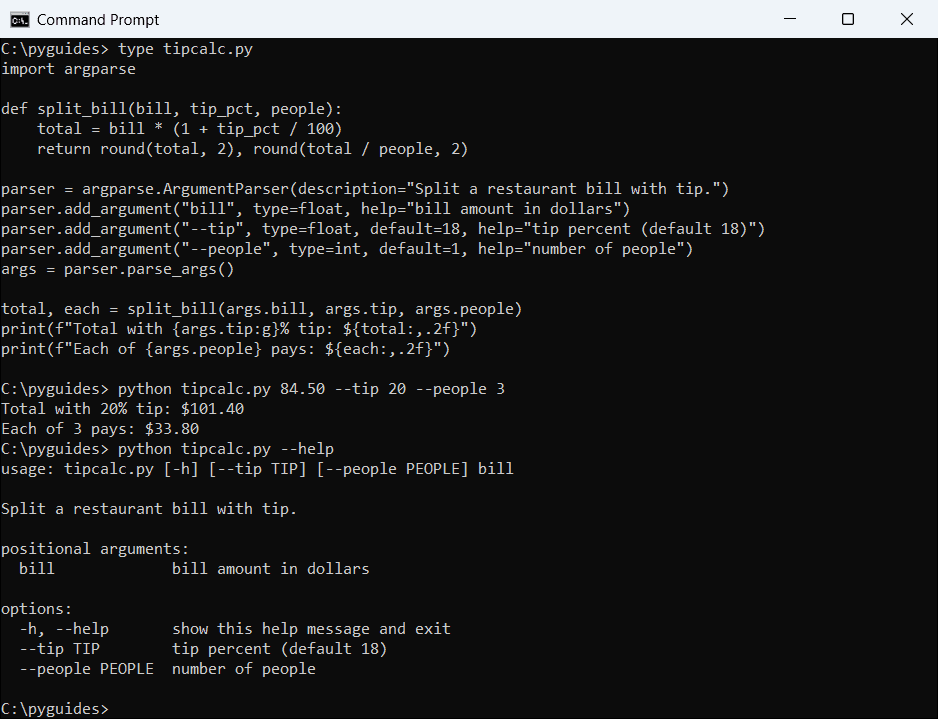 Arguments go in, the result comes out, and --help is generated automatically.
More on reading arguments in Python command-line arguments.
2. Create a desktop app with PyQt6
For a real window with text boxes and a button, PyQt6 is a solid choice. The class builds a form; clicking the button runs calculate():
import sys from PyQt6.QtWidgets import QApplication, QFormLayout, QLabel, QLineEdit, QPushButton, QWidget class TipCalculator(QWidget): def __init__(self): super().__init__() self.setWindowTitle("Tip Calculator") self.bill, self.tip, self.people = QLineEdit("84.50"), QLineEdit("20"), QLineEdit("3") self.result = QLabel("") button = QPushButton("Calculate") button.clicked.connect(self.calculate) form = QFormLayout(self) form.addRow("Bill ($):", self.bill) form.addRow("Tip (%):", self.tip) form.addRow("People:", self.people) form.addRow(button) form.addRow(self.result) self.resize(320, 200) self.calculate() def calculate(self): try: total = float(self.bill.text()) * (1 + float(self.tip.text()) / 100) each = total / int(self.people.text()) self.result.setText(f"Total ${total:,.2f} | Each ${each:,.2f}") except ValueError: self.result.setText("Please enter numbers only.") app = QApplication(sys.argv) window = TipCalculator() window.show() app.exec()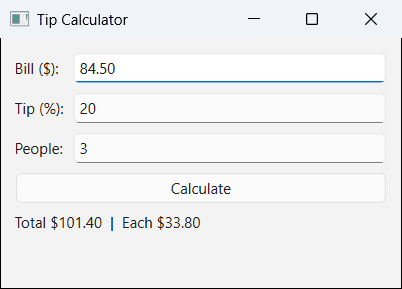 A native-looking window on Windows. The same code runs on macOS and Linux.
Tkinter comes with Python and is fine for simple tools; PyQt6 looks more polished and scales to bigger apps. See Python GUI programming for a broader overview.
3. Create a web app with Flask
A web app runs in any browser, with nothing to install for your users. Flask maps a URL to a Python function that returns HTML:
from flask import Flask, request app = Flask(__name__) PAGE = """<!doctype html><title>Tip Calculator</title> <body style="font-family:Segoe UI,Arial;max-width:420px;margin:40px auto"> <h2>Tip Calculator</h2> <form> <p>Bill ($) <input name="bill" value="{bill}"></p> <p>Tip (%) <input name="tip" value="{tip}"></p> <p>People <input name="people" value="{people}"></p> <button>Calculate</button> </form> <p style="font-size:20px"><b>{result}</b></p> </body>""" @app.route("/") def home(): bill = request.args.get("bill", "84.50") tip = request.args.get("tip", "20") people = request.args.get("people", "3") try: total = float(bill) * (1 + float(tip) / 100) result = f"Total ${total:,.2f} | Each ${total / int(people):,.2f}" except ValueError: result = "Please enter numbers only." return PAGE.format(bill=bill, tip=tip, people=people, result=result) if __name__ == "__main__": app.run(port=5057)Run it with python tipweb.py and open http://127.0.0.1:5057. Here’s the page from my local run:
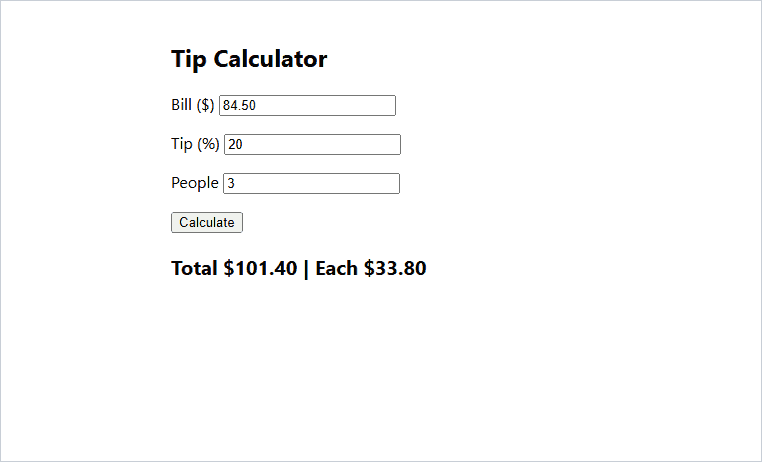 The same calculator as a web page. Change the fields and click Calculate to update it.
How do you test a Python app?
Flask’s test client calls your routes without starting a server, so you can check results and error handling in a normal script or test suite:
from tipweb import app client = app.test_client() # call the app without starting a server resp = client.get("/?bill=120&tip=18&people=4") print("status:", resp.status_code) html = resp.get_data(as_text=True) print(html[html.index("Total"):html.index("</b>")]) print(client.get("/?bill=abc").get_data(as_text=True).count("numbers only"), "error message shown for bad input")Output:
status: 200 Total $141.60 | Each $35.40 1 error message shown for bad input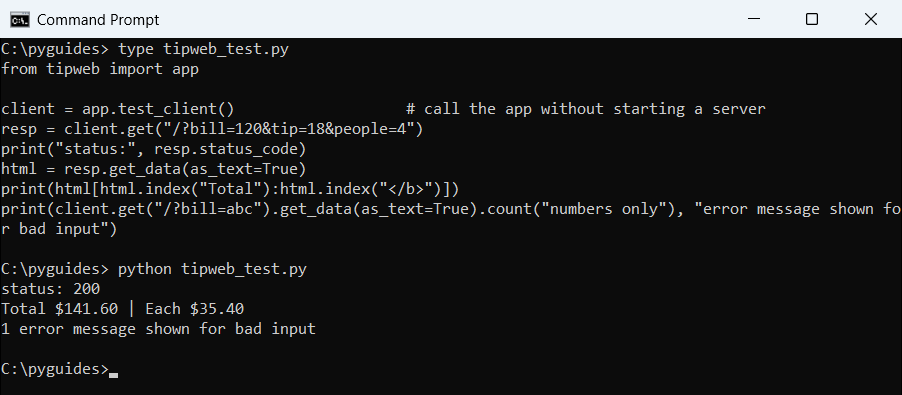 Status 200, the right totals, and a friendly message for bad input.
I’d add tests like this before sharing any app. For a broader look at checking code, see best AI for Python code, which includes a pytest example.
Sharing your Python app
- Desktop: bundle it into a single .exe with PyInstaller; see converting a Python file to an exe.
- Web: deploy to a host such as Render, Railway, PythonAnywhere or a cloud provider, behind a production server like Gunicorn or Waitress.
- Command line: publish it as a package, or share the script with a requirements.txt; see pip install -r requirements.txt.
Helpful guides for your first Python app:
- How to run a Python script
- Python virtual environments
- Import from another directory
- Types of errors in Python
Frequently asked questions
How do I create an app using Python?
Choose the app type, then the library: argparse for command-line tools, Tkinter or PyQt6 for desktop windows, Flask or Django for web apps. Start small and add features.
Can Python make desktop apps?
Yes. Tkinter comes with Python, and PyQt6 or PySide6 give more polished, cross-platform windows.
Is Flask or Django better for a first web app?
Flask is simpler to start with. Django includes more out of the box, such as an admin panel and user accounts.
Can I build a mobile app with Python?
With Kivy or BeeWare, yes, but most mobile apps use Swift, Kotlin or cross-platform tools like Flutter.
How do I share my Python app with people who don’t have Python?
Package desktop apps with PyInstaller, or deploy web apps online so users just need a browser.
Where is argparse documented?
See argparse in the Python docs.






 English (US)