
 1 month ago
57
Club.noww.in
The quickest way to convert an integer to a string in Python is the built-in str() function: str(42) gives you '42'. When the number goes inside a sentence, an f-string does the conversion for you:
zip_code = 30301 str(zip_code) # '30301' f"Zip: {zip_code}" # 'Zip: 30301'Nothing here needs a package; it’s plain Python 3.12.5, and I captured each run in a Windows Command Prompt.
Below you’ll find four ways to cast an int to a string, the TypeError they fix, leading zeros and commas, binary and hex, lists of numbers, and the 4,300-digit limit.
4 ways to convert an integer to a string in Python
str(), f-strings, str.format() and the old % operator all produce the same text. They differ in how much formatting you can add:
zip_code = 30301 population = 498715 a = str(zip_code) b = f"{zip_code}" c = "{}".format(zip_code) d = "%d" % zip_code print(a, b, c, d) print(type(a), a == b == c == d) print(f"Atlanta, GA {zip_code} has {population:,} people")Output:
30301 30301 30301 30301 <class 'str'> True Atlanta, GA 30301 has 498,715 people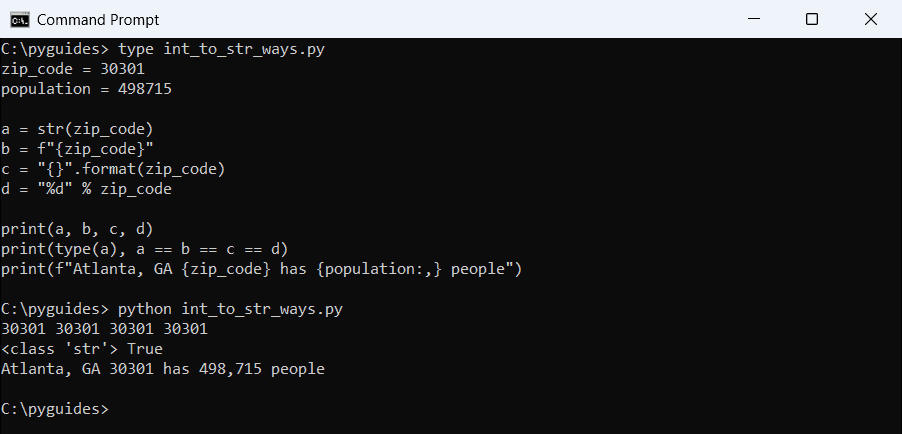 All four give the string '30301'. The last line adds a thousands separator inside an f-string.
I use str() when I need the string on its own and f-strings everywhere else. You’ll mostly see %d in older code.
Why do I get TypeError: can only concatenate str (not “int”) to str?
Python won’t glue a string and an int together with +; it doesn’t guess what you meant. Convert the number first, or let an f-string or print() handle it:
items = 3 try: print("You have " + items + " items in your cart") except TypeError as err: print("TypeError:", err) print("You have " + str(items) + " items in your cart") print(f"You have {items} items in your cart") print("You have", items, "items in your cart") # print() converts for youOutput:
TypeError: can only concatenate str (not "int") to str You have 3 items in your cart You have 3 items in your cart You have 3 items in your cart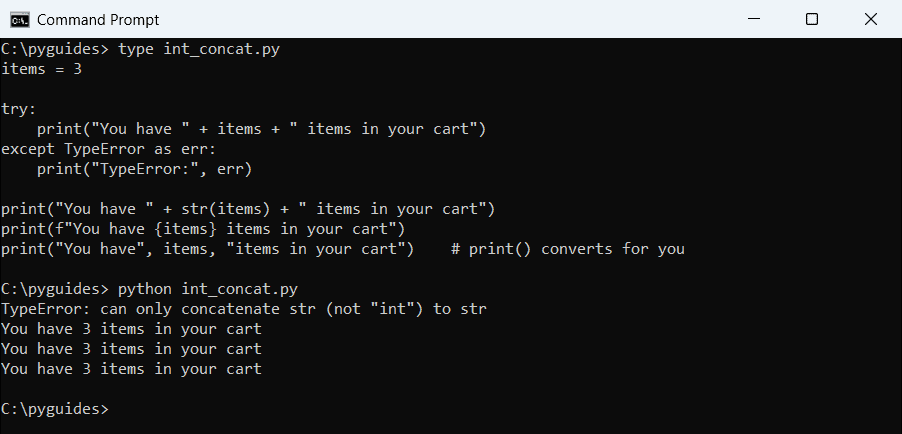 str(items), an f-string, or separate print() arguments all fix the error.
There’s a whole guide on concatenating a string and an int if you want more options.
Formatting an int as a string: zeros, commas and dollars
Format specs after a colon in an f-string control padding, separators and signs. These are the ones I reach for most with order numbers and prices:
order_id = 42 amount = 1234567 cents = 129999 # store money as whole cents print(str(order_id).zfill(6)) # leading zeros print(f"{order_id:06d}") # same thing with a format spec print(f"{amount:,}") # thousands separators print(f"${cents / 100:,.2f}") # cents to a dollar string print(f"{order_id:>8}|") # right-aligned in 8 spaces print(f"{-7:+d} {7:+d}") # always show the signOutput:
000042 000042 1,234,567 $1,299.99 42| -7 +7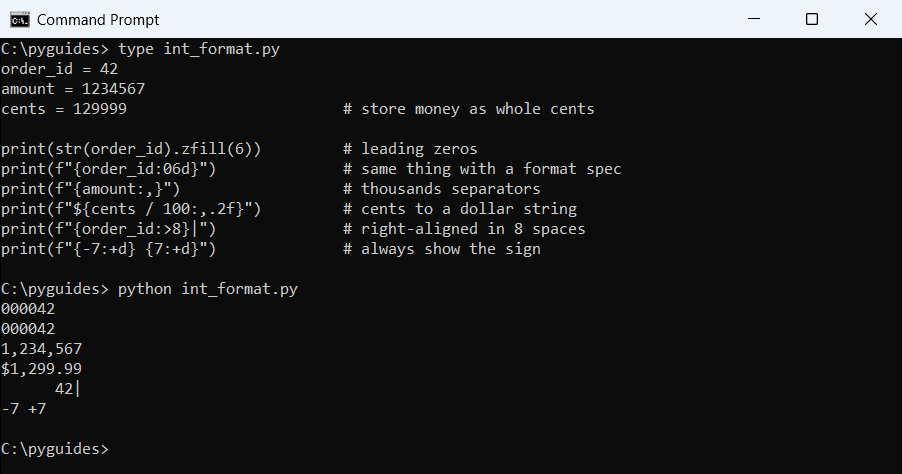 :06d pads with zeros, :, adds commas, and dividing cents by 100 gives a dollar string.
Keeping money as whole cents avoids float rounding surprises until you display it. More on that in formatting numbers with commas.
Converting an int to a binary, octal or hex string
bin(), oct() and hex() return strings with a prefix. A format spec gives the same digits without one, and int(text, base) converts back:
n = 255 print(bin(n), oct(n), hex(n)) # with 0b / 0o / 0x prefixes print(f"{n:b} {n:o} {n:x} {n:X}") # without prefixes print(f"{n:08b}") # padded to 8 bits print(format(n, "x"), int("ff", 16)) # and back to an intOutput:
0b11111111 0o377 0xff 11111111 377 ff FF 11111111 ff 255Going the other direction is covered in converting a binary string to an int and converting a hex string to an integer.
How do you convert a list of integers to a string?
str.join() only accepts strings, so a list of ints raises a TypeError. Map str over the list first:
digits = [4, 1, 5, 9] try: print("".join(digits)) except TypeError as err: print("TypeError:", err) print("".join(map(str, digits))) print(", ".join(str(d) for d in digits)) print(int("".join(map(str, digits))) + 1) print(list(str(8675309))) # an int's digits as stringsOutput:
TypeError: sequence item 0: expected str instance, int found 4159 4, 1, 5, 9 4160 ['8', '6', '7', '5', '3', '0', '9']list(str(n)) is a quick way to get the digits of a number. For more on joining, see concatenating a list of strings.
The 4,300-digit limit on int to string conversion
Since Python 3.11, converting a huge int to a string raises a ValueError past 4,300 digits. It’s a guard against denial-of-service attacks, and you can raise it when you really need to:
import sys big = 10 ** 5000 try: s = str(big) except ValueError as err: print("ValueError:", err) print("limit:", sys.get_int_max_str_digits()) sys.set_int_max_str_digits(10_000) print(len(str(big)), "digits after raising the limit")Output:
ValueError: Exceeds the limit (4300 digits) for integer string conversion; use sys.set_int_max_str_digits() to increase the limit limit: 4300 5001 digits after raising the limit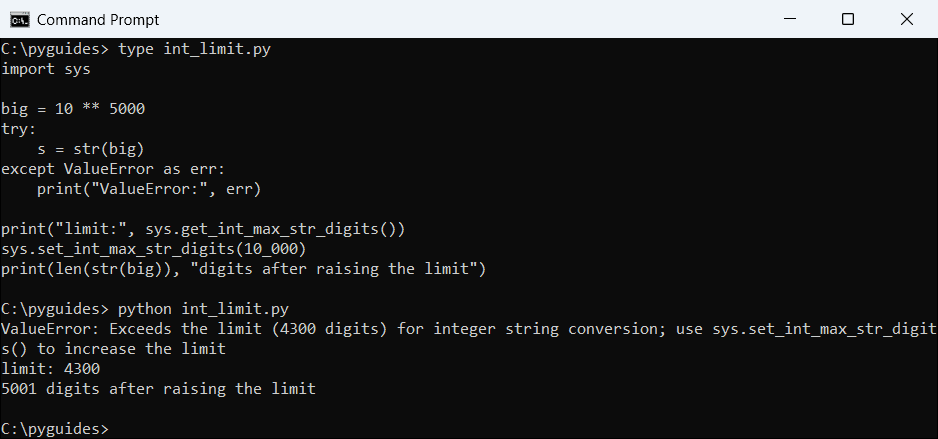 A 5,001-digit number trips the default limit. sys.set_int_max_str_digits() lifts it.
You’ll only hit this with giant numbers, like factorials of big values. Everyday ints never come close.
Int to string in Python: which method to use
| Plain conversion | str(n) | '1234' |
| Inside a sentence | f"Total: {n}" | 'Total: 1234' |
| Commas | f"{n:,}" | '1,234' |
| Leading zeros | f"{n:06d}" | '001234' |
| Hex | f"{n:x}" | '4d2' |
When you’re ready for more string conversions, try these:
- Convert a string to an integer in Python
- Concatenate a string and a float
- Format decimal places with f-strings
- Check the type of a variable in Python
Frequently asked questions
How do I convert an int to a string in Python?
Call str(): str(25) returns '25'. An f-string like f"{25}" works too.
Is there a toString() method in Python?
No. Python uses the built-in str() function, which calls the object’s __str__ method behind the scenes.
How do I add leading zeros to a number?
Use str(n).zfill(5) or an f-string with a width: f"{n:05d}".
How do I fix ‘can only concatenate str (not int) to str’?
Wrap the number in str() before using +, or switch to an f-string.
Can I convert a string back to an int?
Yes, with int("42"). It raises a ValueError if the text isn’t a valid whole number.
What are all the format spec options?
Width, fill, alignment, sign, grouping and type codes are listed in the format specification mini-language docs.







 English (US)