
 1 week ago
56
Club.noww.in
TypeError: 'numpy.ndarray' object is not callable means you put parentheses after a NumPy array, so Python tried to call it like a function. The usual culprits are arr(0) instead of arr[0], or adding () to an attribute like .shape:
arr(0) # TypeError arr[0] # correct arr.shape() # TypeError arr.shape # correctEvery traceback here is real output from Python 3.12.5, NumPy 2.5.3 and pandas 3.0.6, followed by the fix.
I’ll go through five causes: round brackets for indexing, calling attributes like shape and T, df.values() in pandas, a function replaced by its own result, and how to tell attributes from methods.
Cause 1: Indexing a NumPy array with () instead of []
You read from an array with square brackets; parentheses call something. Swap them and NumPy raises the error right away:
import numpy as np prices = np.array([19.99, 4.50, 102.00]) print(prices[0]) # indexing uses square brackets print(prices(0)) # parentheses try to call the arrayOutput:
19.99 Traceback (most recent call last): File "C:\pyguides\ndarray_parens.py", line 5, in <module> print(prices(0)) # parentheses try to call the array ^^^^^^^^^ TypeError: 'numpy.ndarray' object is not callable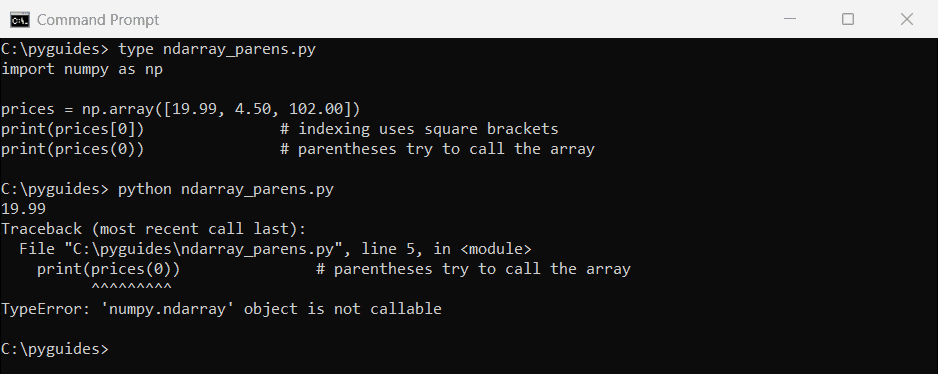 prices[0] works; prices(0) raises the TypeError.
Plain Python lists give a similar message; see list object is not callable for the list version.
Cause 2: Calling ndarray attributes like shape and T
Several array properties you’ll use are attributes, not methods, so they don’t take parentheses. shape returns a tuple, and calling that tuple fails:
import numpy as np grid = np.arange(6).reshape(2, 3) print("shape:", grid.shape) # attribute: no parentheses print("size:", grid.size, "| dtype:", grid.dtype) print("transposed:\n", grid.T) for name in ["shape", "T"]: try: getattr(grid, name)() # what grid.shape() and grid.T() do except TypeError as err: print(f"grid.{name}() -> TypeError: {err}")Output:
shape: (2, 3) size: 6 | dtype: int64 transposed: [[0 3] [1 4] [2 5]] grid.shape() -> TypeError: 'tuple' object is not callable grid.T() -> TypeError: 'numpy.ndarray' object is not callable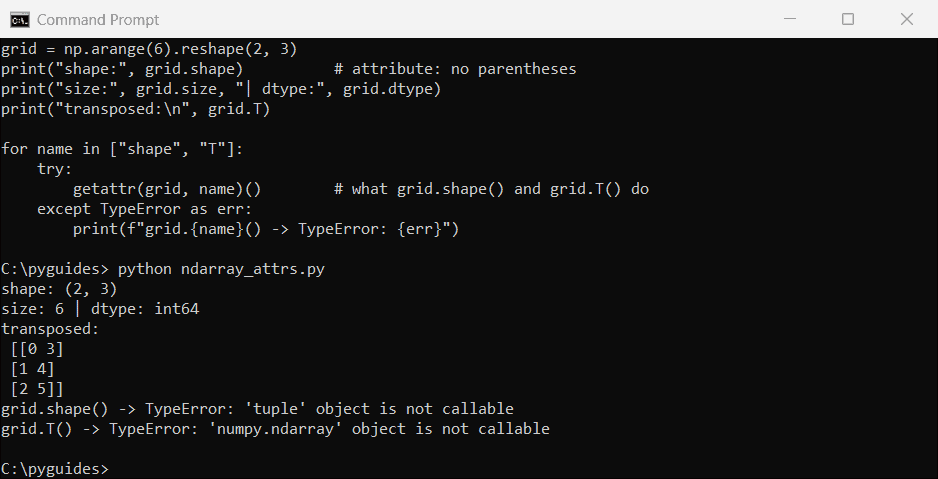 grid.shape() fails because shape is a tuple; grid.T() fails because T is already the transposed array.
Note the error message differs: calling shape says “‘tuple’ object is not callable”, while calling T says “‘numpy.ndarray’ object is not callable”.
Cause 3: df.values() in pandas
In pandas, DataFrame.values is an attribute that returns a NumPy array. Adding parentheses calls that array:
import pandas as pd df = pd.DataFrame({"city": ["Austin", "Denver"], "sales": [1250.50, 980.25]}) print(df.values) # .values is an attribute that returns an ndarray print(df.to_numpy()) # the recommended method form print(df.values()) # calling it failsOutput:
[['Austin' 1250.5] ['Denver' 980.25]] [['Austin' 1250.5] ['Denver' 980.25]] Traceback (most recent call last): File "C:\pyguides\pandas_values.py", line 7, in <module> print(df.values()) # calling it fails ^^^^^^^^^^^ TypeError: 'numpy.ndarray' object is not callable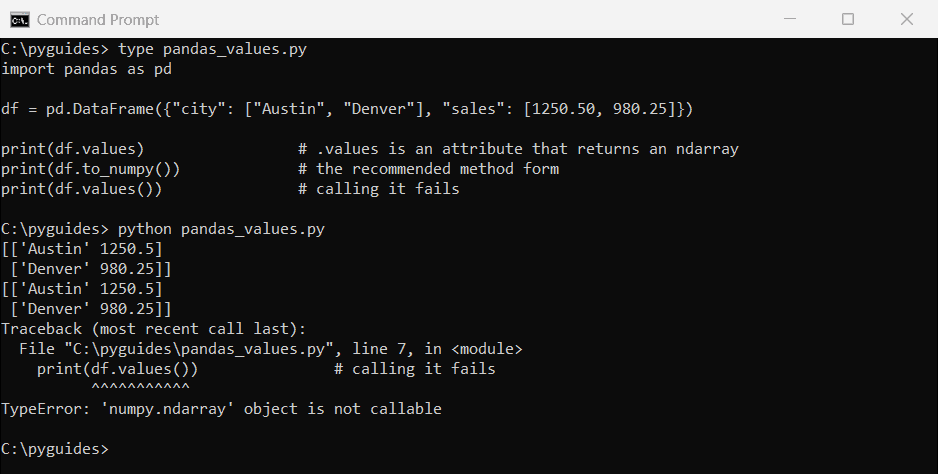 df.values and df.to_numpy() both work; df.values() doesn’t.
pandas recommends to_numpy() over .values, and as a method it does take parentheses. For more pandas basics, see loc vs iloc in pandas.
Cause 4: A function was replaced by its NumPy array
Assigning a function’s result back to the function’s name leaves you with an array under that name. The next call fails:
import numpy as np def monthly_sales(): return np.array([12500.50, 9800.25, 14300.00]) monthly_sales = monthly_sales() # the function name now holds the array print(monthly_sales.sum()) print(monthly_sales()) # calling the array failsOutput:
36600.75 Traceback (most recent call last): File "C:\pyguides\ndarray_overwrite.py", line 8, in <module> print(monthly_sales()) # calling the array fails ^^^^^^^^^^^^^^^ TypeError: 'numpy.ndarray' object is not callableYou can avoid it by giving the result its own name, such as sales = monthly_sales(). In Jupyter, re-run the cell that defines the function, or restart the kernel, to get it back.
How do you know if a NumPy attribute is callable?
I use callable() when I’m unsure. If it returns True, it’s a method and needs (); if False, it’s an attribute and must not have them:
import numpy as np arr = np.array([3, 1, 2]) for name in ["shape", "T", "size", "sum", "sort", "mean", "dtype"]: kind = "method -> call it ()" if callable(getattr(arr, name)) else "attribute -> no ()" print(f"arr.{name:<6} {kind}") print(arr.sum(), arr.shape) # method with (), attribute withoutOutput:
arr.shape attribute -> no () arr.T attribute -> no () arr.size attribute -> no () arr.sum method -> call it () arr.sort method -> call it () arr.mean method -> call it () arr.dtype attribute -> no () 6 (3,)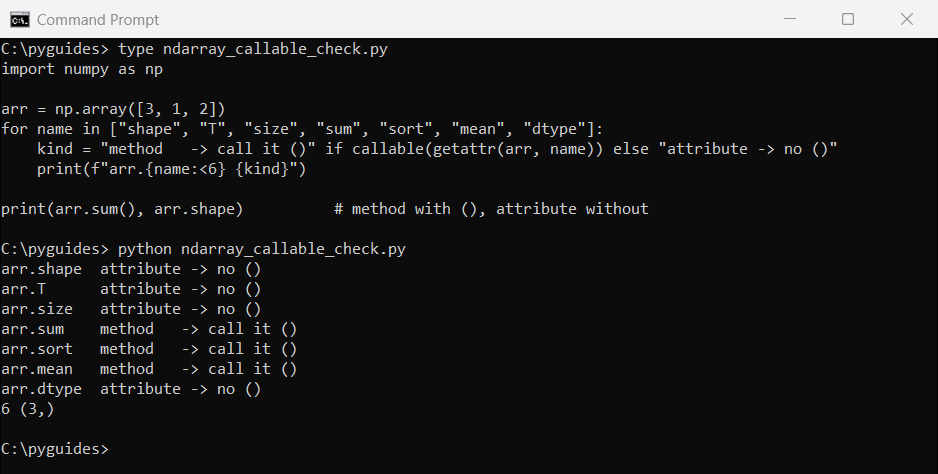 shape, T, size and dtype are attributes; sum, sort and mean are methods.
A related trap: naming a variable after a NumPy or built-in function, like sum = np.array(...), then calling sum(...) later. Descriptive names avoid it.
Quick fixes for numpy.ndarray object is not callable
| arr(0) | arr[0] |
| arr.shape() | arr.shape |
| arr.T() | arr.T or arr.transpose() |
| df.values() | df.to_numpy() |
| f = f() | result = f() |
More NumPy and error-fixing guides:
- numpy.core.multiarray failed to import
- Import numpy could not be resolved
- Types of errors in Python
- NumPy matrix in Python
Frequently asked questions
What does ‘numpy.ndarray’ object is not callable mean?
You used parentheses after a NumPy array, so Python tried to call it like a function.
How do I fix it when indexing?
Use square brackets: arr[0] or arr[1, 2], not arr(0).
Why does arr.shape() raise an error?
shape is an attribute holding a tuple. Use arr.shape without parentheses.
Why does df.values() fail in pandas?
values is an attribute that returns an array. Use df.values or, better, df.to_numpy().
How can I tell if I need parentheses?
Check callable(obj.name). True means it’s a method; False means it’s an attribute.
Where are ndarray attributes documented?
See Array attributes in the NumPy reference.







 English (US)