
 1 month ago
44
Club.noww.in
Does not equal in Python is written as !=. It compares two values and returns True when they’re different and False when they’re the same:
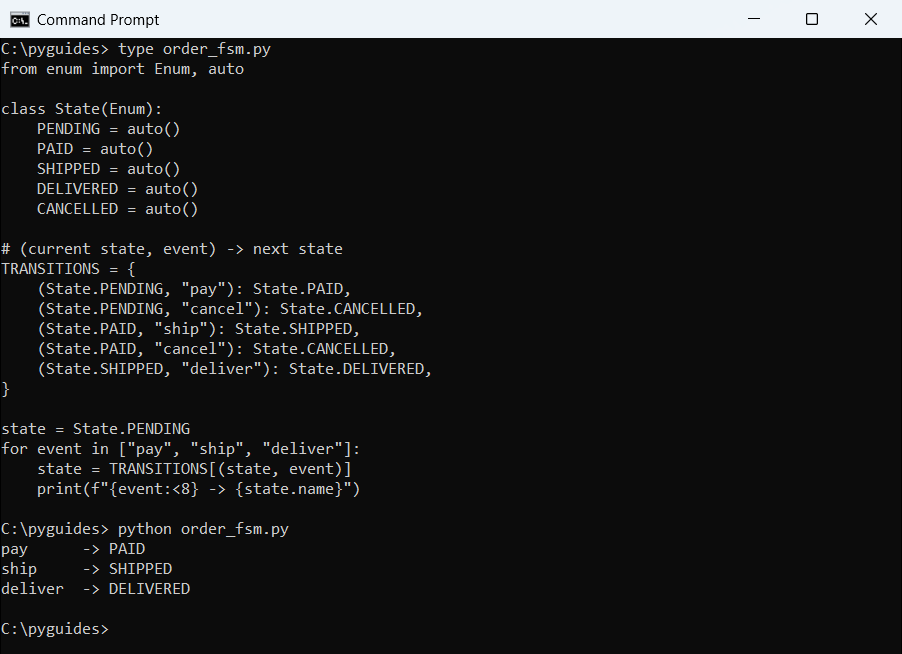
5 != 3 # True "NY" != "NY" # FalseFor this one I used Python 3.12.5 on a Windows laptop, and the screenshots show the scripts running in Command Prompt.
I’ll cover how != treats numbers and strings, when to use is not instead, the float and NaN traps, loops, and custom classes.
How the not equal operator works in Python
!= works on any two values. It checks value, not type, so 1 != 1.0 is False, while 1 != "1" is True because a number never equals text:
print(5 != 3) # True print(5 != 5) # False print("Boston" != "boston") # True: strings are case-sensitive print(1 != "1") # True: an int never equals a str print(1 != 1.0) # False: 1 and 1.0 are equal print([1, 2] != [1, 2]) # False: same contents state = "NY" if state != "OR": print("Sales tax applies in", state, "(Oregon has none)")Output:
True False True True False False Sales tax applies in NY (Oregon has none)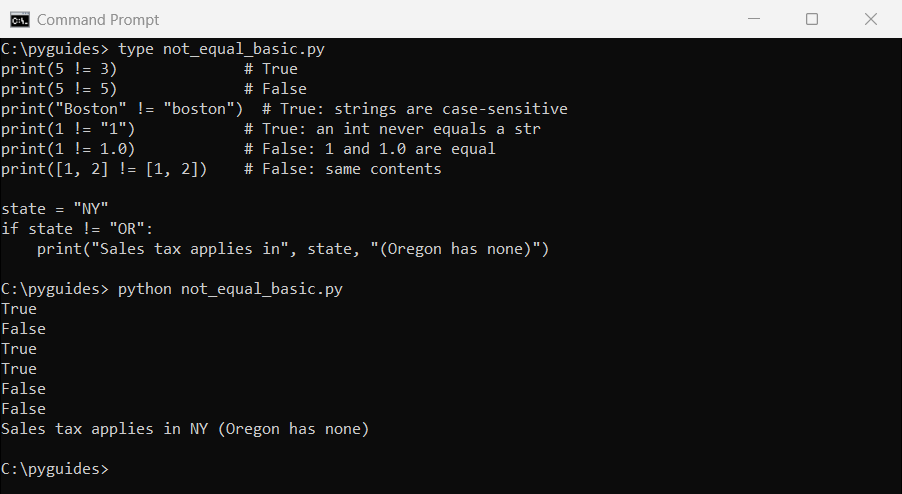 String comparison is case-sensitive, so “Boston” and “boston” are not equal.
Need to ignore case? Compare a.lower() != b.lower(). Case-insensitive string comparisons covers casefold() too.
What’s the difference between != and is not?
!= asks whether two values differ. is not asks whether they’re different objects in memory. Two lists with the same items are equal, but they’re still separate objects:
a = [10, 20] b = [10, 20] c = a print(a != b, a is not b) # equal values, different objects print(a != c, a is not c) # the very same object result = None print(result is not None) # the right way to test for None print(result != None) # works, but style guides say use is notOutput:
False True False False False False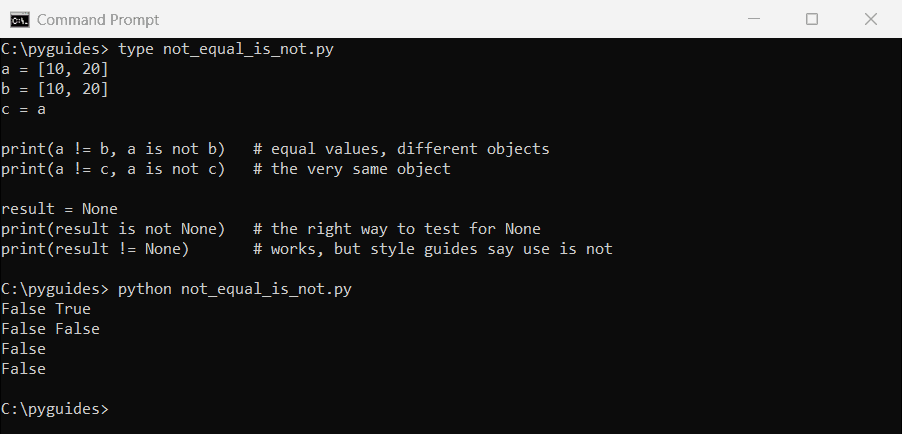 a and b are equal but not the same object. For None, use is not.
PEP 8 says to compare with None using is or is not, never == or !=. There’s more in is None vs == None in Python.
Why does 0.1 + 0.2 != 0.3 return True?
Floats are stored in binary, so 0.1 + 0.2 is really 0.30000000000000004. Testing floats with != gives surprising answers; math.isclose() is the safe check:
import math total = 0.1 + 0.2 print(total) print(total != 0.3) # True, surprisingly print(not math.isclose(total, 0.3)) # False: close enough nan = float("nan") print(nan != nan) # True: NaN never equals anything print(math.isnan(nan))Output:
0.30000000000000004 True False True True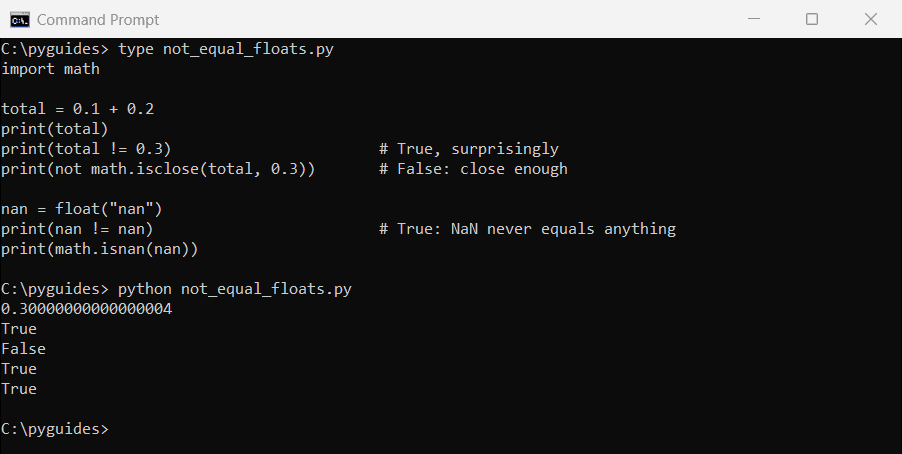 != says the sum differs from 0.3. math.isclose() says it’s close enough.
NaN is the other odd one: it’s not equal to anything, even itself. Use math.isnan() to spot it rather than x != x, which works but confuses readers.
Using does not equal in while loops and filters
!= is a natural stop condition: keep going while the value isn’t the one you want. It’s also a quick filter in a comprehension:
answers = iter(["maybe", "no", "yes"]) reply = "" while reply != "yes": reply = next(answers) print("Got:", reply) prices = [19.99, 0, 4.50, 0, 12.00] print([p for p in prices if p != 0])Output:
Got: maybe Got: no Got: yes [19.99, 4.5, 12.0]For the loop side of this, see the Python while loop guide. And if else in Python shows != in conditions.
Not equal with custom classes (and the old <> operator)
When you define __eq__, Python builds != from it automatically by inverting the result. You only write __ne__ if you need something unusual:
class Product: def __init__(self, sku, price): self.sku, self.price = sku, price def __eq__(self, other): return isinstance(other, Product) and self.sku == other.sku shirt_a = Product("TS-100", 24.99) shirt_b = Product("TS-100", 19.99) # same SKU, sale price mug = Product("MG-200", 12.50) print(shirt_a != shirt_b) # False: __ne__ inverts __eq__ for you print(shirt_a != mug) # True try: compile("5 <> 3", "old.py", "eval") except SyntaxError as err: print("SyntaxError:", err.msg, "(<> was removed in Python 3)")Output:
False True SyntaxError: invalid syntax (<> was removed in Python 3)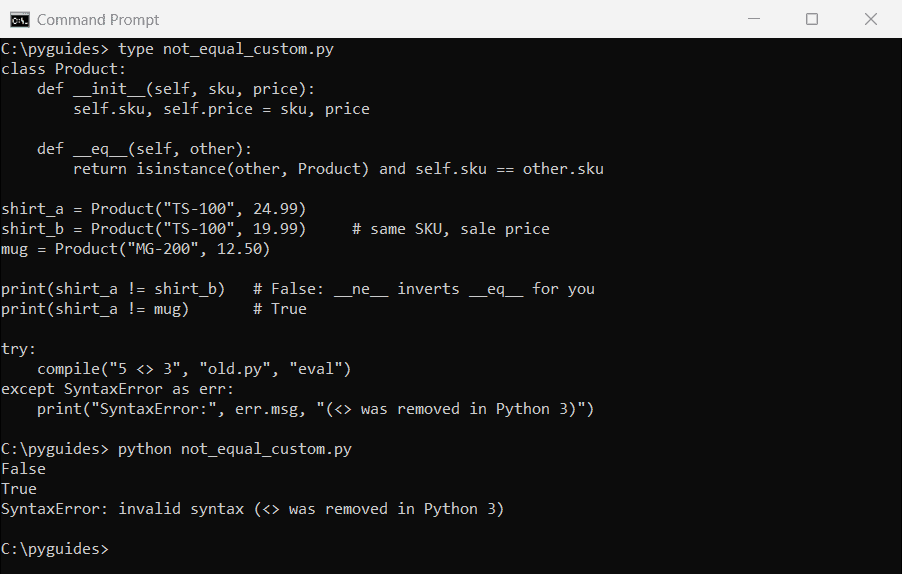 Two products with the same SKU count as equal, so != is False. The Python 2 <> spelling is a SyntaxError.
If you’re porting old Python 2 code, replace every <> with !=. Python 3 doesn’t accept it at all.
Comparison operators in Python
| == | Equal | 5 == 5 | True |
| != | Not equal | 5 != 3 | True |
| is not | Not the same object | x is not None | True if x has a value |
| not in | Not a member | "TX" not in states | True if missing |
| <, > | Less, greater | 3 < 5 | True |
Comparisons pair naturally with these guides:
- What does in mean in Python
- Check if a variable is None
- Increment and decrement operators
- Break and continue in Python
Frequently asked questions
How do you write does not equal in Python?
Use !=. For example, if age != 21: runs when age is anything other than 21.
Should I use != or is not?
Use != to compare values. Use is not only for identity checks, mainly x is not None.
Does work in Python 3?
No. <> was removed in Python 3 and raises a SyntaxError. Use !=.
Is != case-sensitive for strings?
Yes. "Ohio" != "ohio" is True. Lowercase both strings first for a case-insensitive check.
Why is NaN != NaN True?
By the IEEE 754 float standard, NaN isn’t equal to any value, including itself. Use math.isnan() to test for it.
How does Python decide != for my own class?
If you only define __eq__, Python inverts it for !=. The value comparisons section of the language reference has the full rules.






 English (US)