
 1 month ago
49
Club.noww.in
The best Python libraries for web scraping are Requests and Beautiful Soup for simple pages, lxml for speed, Scrapy for large crawls, and Selenium or Playwright for sites that build their content with JavaScript. Most projects start with the first two:
import requests from bs4 import BeautifulSoup soup = BeautifulSoup(requests.get(url).text, "html.parser")My examples scrape quotes.toscrape.com and books.toscrape.com, two sandbox sites built for practice, using Python 3.12.5 with requests 2.34.2 and Beautiful Soup 4.15.0.
I’ll compare the main libraries, show real code for the most useful ones, and finish with a table to help you pick, plus a few rules for scraping responsibly.
Python web scraping libraries compared
| Requests | Downloads pages over HTTP | Fetching HTML and APIs | No |
| Beautiful Soup | Parses HTML into a searchable tree | Beginners, messy HTML | No |
| lxml | Fast HTML/XML parser with XPath | Speed, XPath queries | No |
| pandas.read_html | Turns HTML tables into DataFrames | Grabbing tables fast | No |
| Scrapy | Full crawling framework | Thousands of pages, pipelines | No (plugins add it) |
| Selenium | Drives a real browser | Logins, clicks, JS-heavy sites | Yes |
| Playwright | Modern browser automation | JS-heavy sites, async scraping | Yes |
Install the first group with python -m pip install requests beautifulsoup4 lxml pandas. Each one solves a different part of the job, so you’ll often combine two or three.
Requests and Beautiful Soup: the classic scraping pair
Requests downloads the page, and Beautiful Soup lets you find elements with CSS selectors like div.quote. It’s the friendliest way to start:
import requests from bs4 import BeautifulSoup resp = requests.get("https://quotes.toscrape.com/", timeout=20, headers={"User-Agent": "pythonguides-tutorial/1.0"}) print("status:", resp.status_code) soup = BeautifulSoup(resp.text, "html.parser") for q in soup.select("div.quote")[:4]: text = q.select_one("span.text").get_text() author = q.select_one("small.author").get_text() print(f"- {author}: {text[:60]}")Output:
status: 200 - Albert Einstein: “The world as we have created it is a process of our thinkin - J.K. Rowling: “It is our choices, Harry, that show what we truly are, far - Albert Einstein: “There are only two ways to live your life. One is as though - Jane Austen: “The person, be it gentleman or lady, who has not pleasure i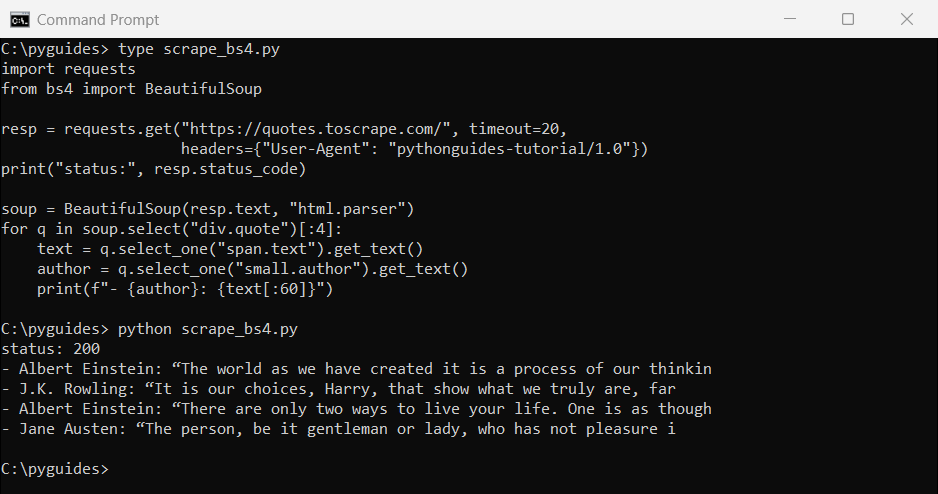 Status 200 means the page loaded. select() and select_one() take ordinary CSS selectors.
Setting a User-Agent header is polite and sometimes required. Some sites block the default python-requests value.
lxml and XPath for fast web scraping
lxml is written in C, so it’s much faster on big pages. It also supports XPath, which can pick attributes and filter by class in one expression:
import requests from lxml import html resp = requests.get("https://books.toscrape.com/", timeout=20) tree = html.fromstring(resp.content) titles = tree.xpath('//article[@class="product_pod"]/h3/a/@title') ratings = tree.xpath('//article[@class="product_pod"]/p[contains(@class, "star-rating")]/@class') print(len(titles), "books on page 1") for title, rating in list(zip(titles, ratings))[:5]: print(f"{rating.split()[-1]:<6} stars {title[:55]}")Output:
20 books on page 1 Three stars A Light in the Attic One stars Tipping the Velvet One stars Soumission Four stars Sharp Objects Five stars Sapiens: A Brief History of Humankind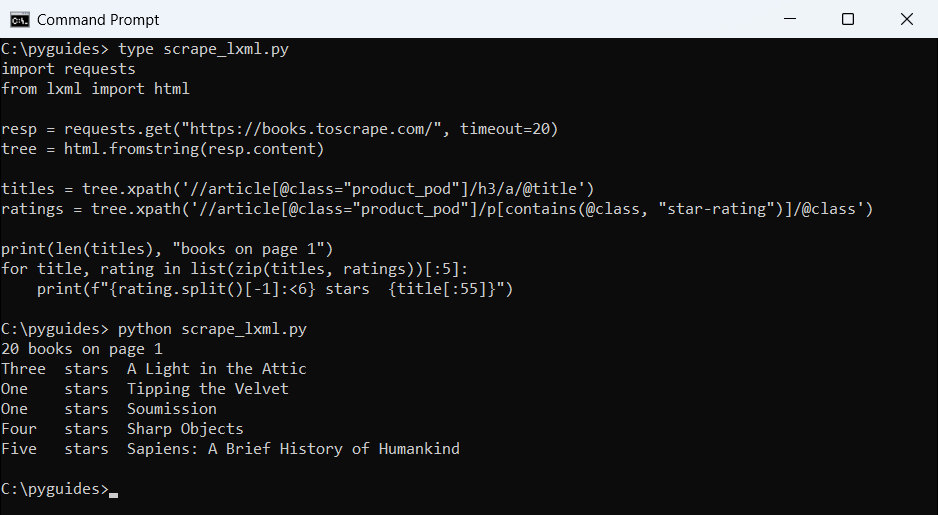 XPath pulled 20 titles and their star ratings straight from the class attributes.
You can also use lxml as Beautiful Soup’s parser with BeautifulSoup(html, "lxml"). That gives you Beautiful Soup’s easy API with most of lxml’s speed.
pandas.read_html for scraping HTML tables
If the data you want is already in a <table>, skip the parsing. pd.read_html() returns a list of DataFrames, one per table:
from io import StringIO import pandas as pd page = """ <table> <tr><th>City</th><th>State</th><th>Median rent</th></tr> <tr><td>Austin</td><td>TX</td><td>1650.00</td></tr> <tr><td>Denver</td><td>CO</td><td>1795.00</td></tr> <tr><td>Boston</td><td>MA</td><td>2950.00</td></tr> </table> """ df = pd.read_html(StringIO(page))[0] # every <table> on the page becomes a DataFrame print(df) print(f"\naverage: ${df['Median rent'].mean():,.2f}")Output:
City State Median rent 0 Austin TX 1650.0 1 Denver CO 1795.0 2 Boston MA 2950.0 average: $2,131.67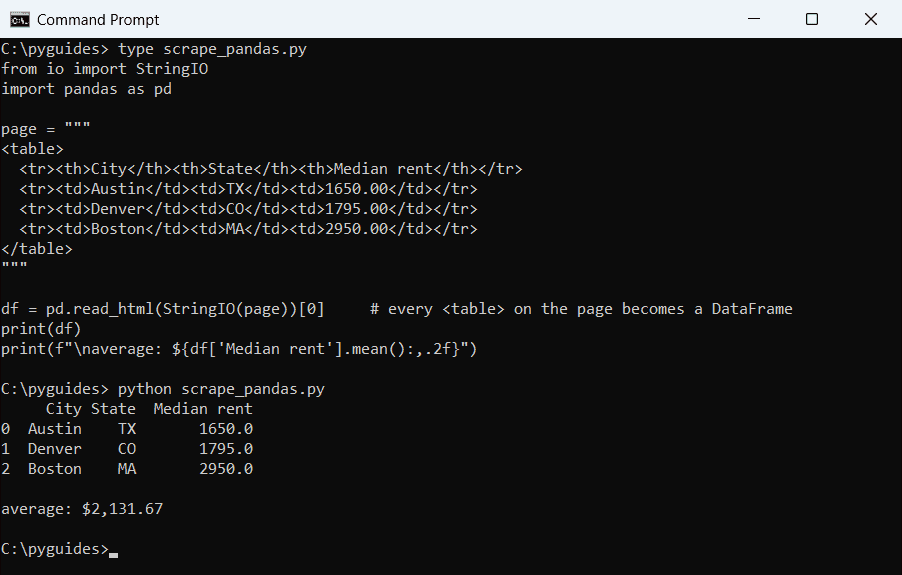 Three lines from HTML to a DataFrame with typed numbers. It needs lxml installed.
Pass a URL instead of the StringIO and it works on live pages too. From there, writing the results to CSV is one more line.
How do you scrape multiple pages in Python?
Follow the site’s “Next” link until there isn’t one. A Session reuses the connection, and a short pause keeps you from hammering the server:
import time import requests from bs4 import BeautifulSoup session = requests.Session() session.headers["User-Agent"] = "pythonguides-tutorial/1.0" authors = set() url = "https://quotes.toscrape.com/" pages = 0 while url and pages < 3: soup = BeautifulSoup(session.get(url, timeout=20).text, "html.parser") authors.update(a.get_text() for a in soup.select("small.author")) nxt = soup.select_one("li.next > a") url = "https://quotes.toscrape.com" + nxt["href"] if nxt else None pages += 1 time.sleep(1) # be polite: one request per second print(pages, "pages,", len(authors), "different authors") print(sorted(authors)[:6])Output:
3 pages, 20 different authors ['Albert Einstein', 'Allen Saunders', 'André Gide', 'Bob Marley', 'Douglas Adams', 'Dr. Seuss']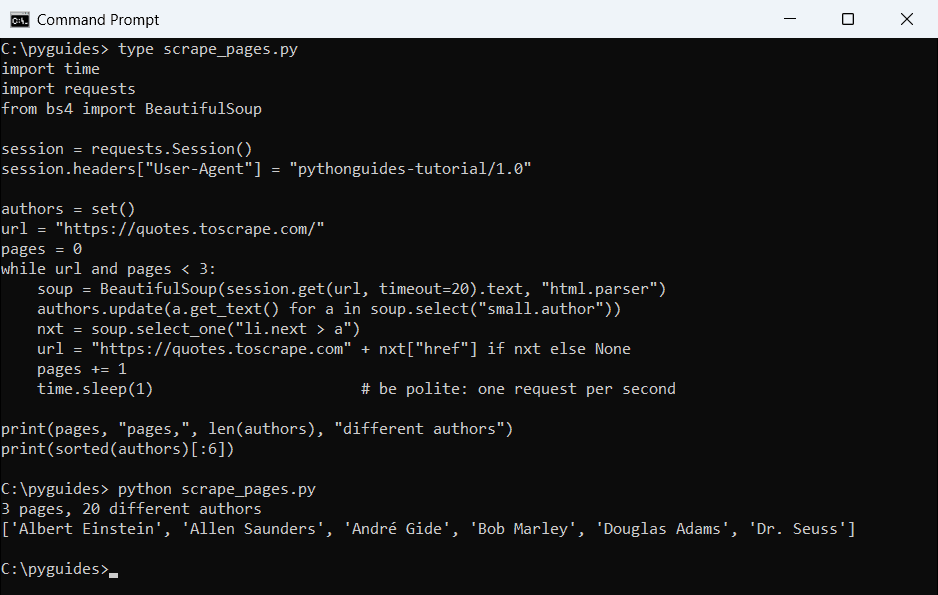 Three pages, one second apart, with the authors gathered into a set to remove duplicates.
The loop is a plain while loop that stops when there’s no next link, or after a page limit while you’re testing.
Scrapy, Selenium and Playwright: when you need more
Scrapy is a framework, not just a library. It handles queues, retries, throttling and exporting for you, which pays off once you’re crawling thousands of pages. You write a spider class and run it with the scrapy command.
Selenium and Playwright drive a real browser, so they see content that JavaScript adds after the page loads. They’re slower and heavier, so I only reach for them when Requests gets back an almost empty page.
A quick test: view the page source in your browser (Ctrl+U). If the data is there, Requests can get it. If it only appears in the live page, you need a browser tool or the site’s hidden JSON API.
Which Python scraping library should you use?
| A few static pages | Requests + Beautiful Soup |
| Big pages or XPath fans | Requests + lxml |
| Data is in HTML tables | pandas.read_html |
| Thousands of pages | Scrapy |
| Content loads with JavaScript | Playwright or Selenium |
Whatever you pick, scrape responsibly. Check the site’s terms and robots.txt, use an official API when one exists, slow your requests down, and don’t collect personal data.
Handy guides for the next steps of a scraping project:
- Download files from URLs using Python
- Save a dictionary as a JSON file
- Best Python libraries for data science
- Python with open() as file
Frequently asked questions
What is the best Python library for web scraping?
For most beginners, Requests plus Beautiful Soup. Use Scrapy for large crawls and Playwright or Selenium for JavaScript-heavy sites.
Is Beautiful Soup or Scrapy better?
Beautiful Soup is a parser for small jobs. Scrapy is a full framework for big crawls with retries, throttling and exports built in.
Can Python scrape websites that use JavaScript?
Yes, with a browser tool like Playwright or Selenium, or by calling the JSON API the page uses behind the scenes.
Is web scraping legal?
It depends on the site’s terms, the data and your local laws. Public data scraped politely is usually fine, but check before you collect anything at scale.
Why does requests return an empty page?
The content is probably loaded by JavaScript, or the site blocked your request. Check the page source and try a browser-based tool.
Where can I learn Beautiful Soup’s full API?
The official Beautiful Soup documentation covers searching, navigating and editing the tree.






 English (US)